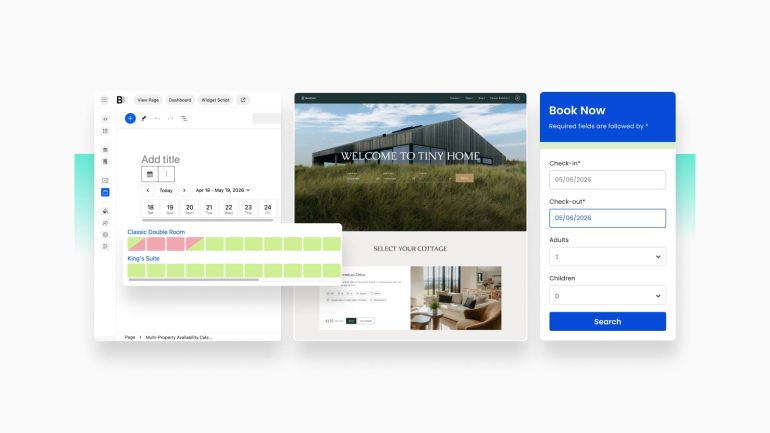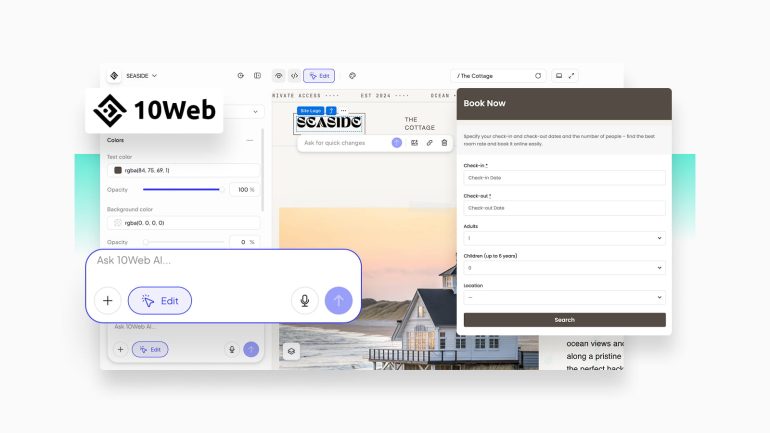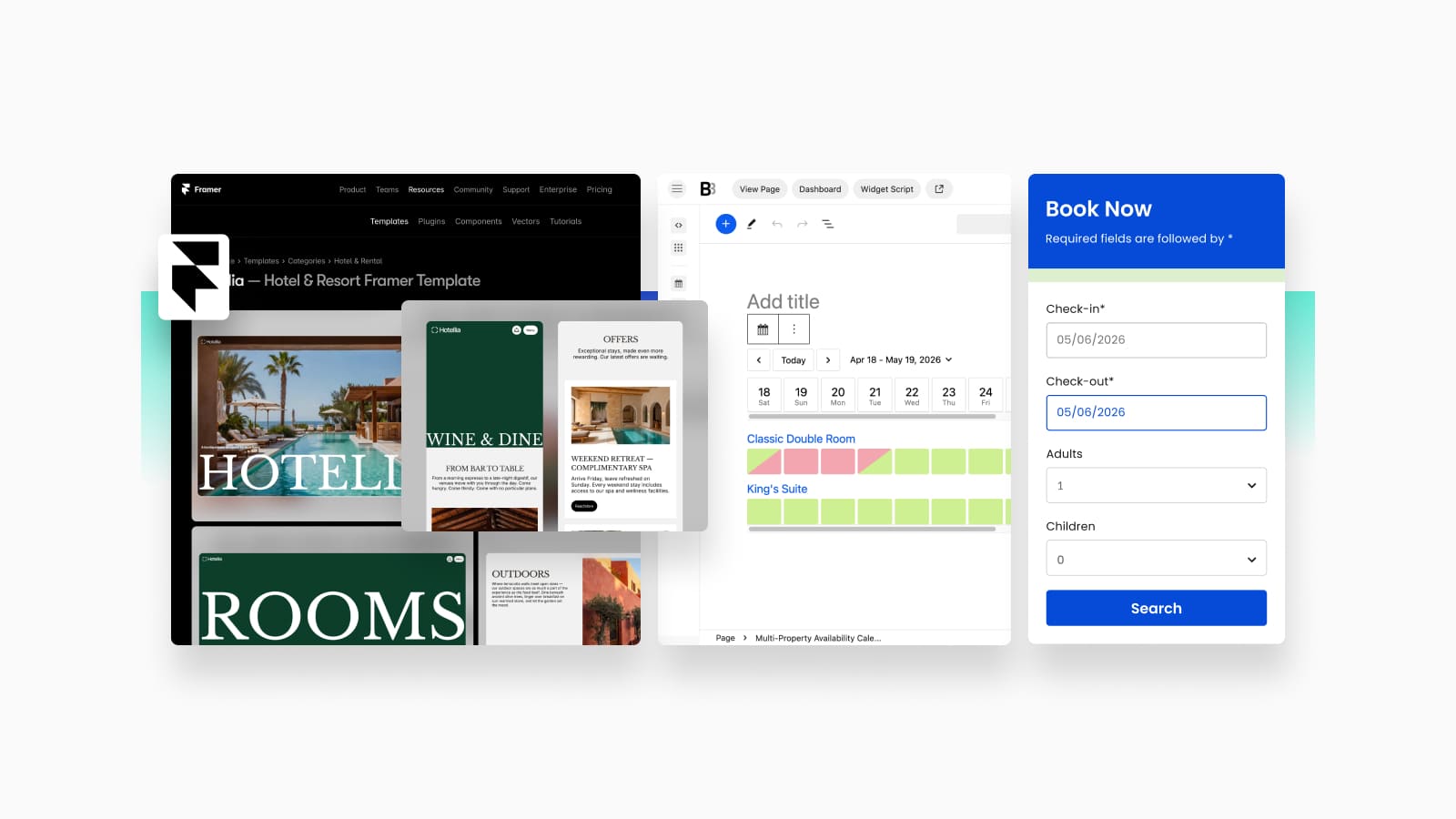
Is it possible to develop a Framer hotel website with the help of its no-code visual customization solutions? Absolutely. Using platforms like Framer, you can easily build a visually stunning, functional website that meets the needs of your STR business and your guests’ expectations. In today’s post, we’ll take a look at the steps needed to build a stunning online presence for your hotel with integrated direct booking capabilities by BNBForms. This way, you’ll not just have an attractive Framer website but also be able to efficiently manage your reservations and accommodations.
Is Framer a Website Builder?
Before we dive deeper into exploring Framer booking template capabilities, let’s look at the builder itself first.
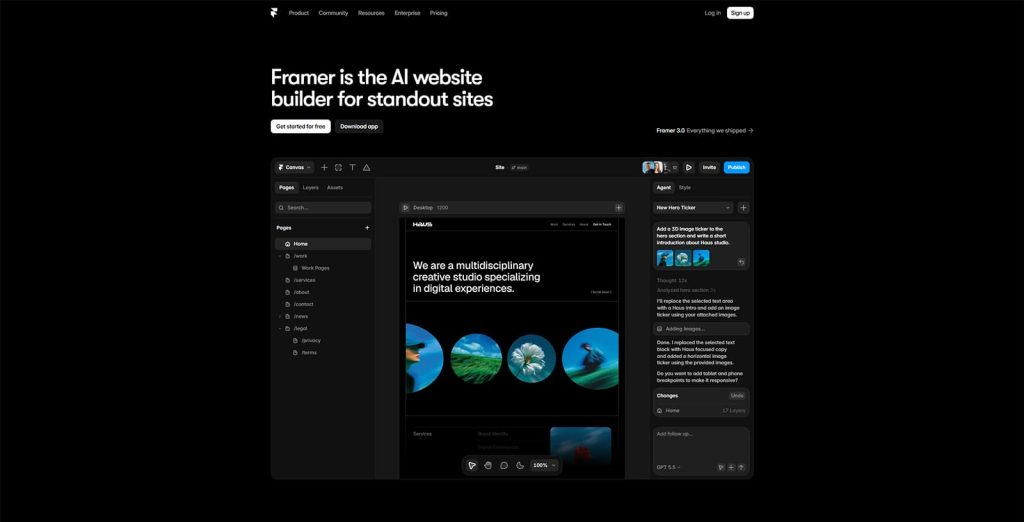
Being a design tool that allows to publish a production-ready website, Framer is your regular website builder. Originally built as a prototyping tool, it now provides useful tools for visual design and web development. As a result, you can create responsive and stunning pages with its drag-and-drop interface, customize them extensively, and publish to the web hosting of your choice. The platform also comes with content management and collaboration features as well as AI tools, allowing you to start quickly and launch professional websites.
Unlike traditional website builders, such as Wix, Framer provides more precise design control. With it, you can craft more customized sections and deliver a user experience without just working with Framer hotel website templates or ready-made blocks. This makes the Framer AI website builder appealing to designers and developers who need more flexibility and control to create impressive and performance-focused websites, as well as users who are just getting started with visual website builders.
Key features:
- Easy visual website design and customization;
- Built-in CMS & AI functionality;
- Responsive layouts and related tools;
- Dedicated site hosting;
- Wide variety of templates and plugins.
| Name | Developer | Price | Best for |
|---|---|---|---|
| Framer | Framer B.V. | From $10/mo | No-code responsive websites |
Is Framer Actually a Good Choice for Hotel Sites?
As a visual website editor and customization tool, Framer is a great solution for any topic and type of website. But what about hotel websites?
Pros of Framer for Hotel Sites
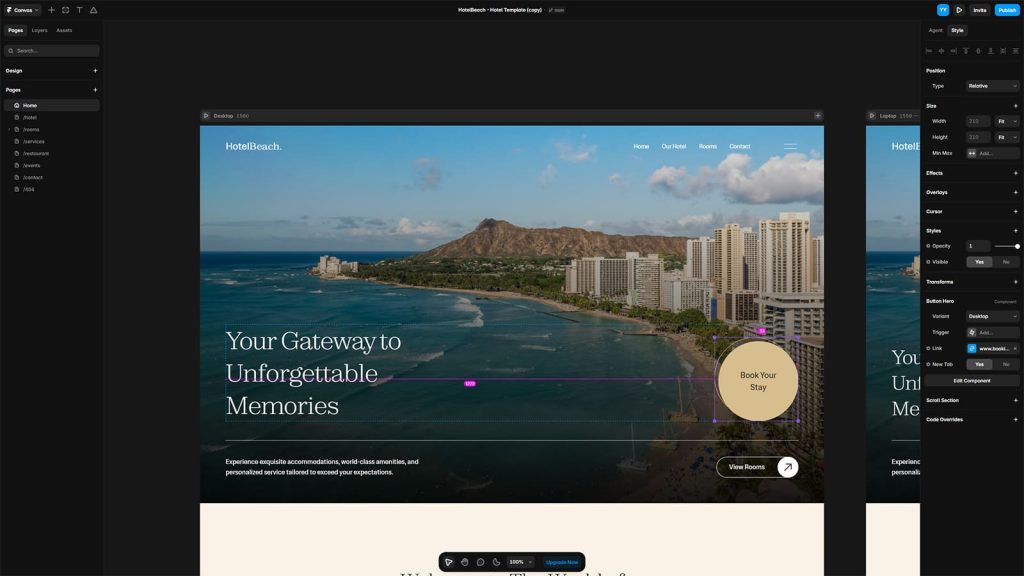
For many small hotels and vacation rentals, this website builder can be really useful. If your site requires striking visual design, branding flexibility, and user-friendly page layouts, rather than building a detailed reservation platform, using Framer is highly recommended. However, without a properly built PMS, such websites may lack the necessary booking functionality. From real-time accommodation availability to secure payment processing on your Framer hotel website, you can combine a third-party Framer booking plugin and similar solutions with the mentioned builder via a widget to ensure the best user experience for your Framer real estate website.
Cons of Framer for Hotel Sites
Still, this platform also has its downsides:
- Limited native booking functionality: Since Framer does not offer advanced hotel reservation systems out of the box, integrating it with third-party integrations is often required.
- Not fitting for large hotel chains: If you deal with enterprise-level hospitality businesses, Framer may not be the best fit for them due to the complex requirements of such businesses.
- Less flexible content management: While Framer offers CMS functionality, it still has fewer options for deep backend customization compared to systems such as WordPress.
- Potential scaling limitations: Large hotel websites that require extensive multilingual support, as well as hundreds of service and room variations, may become harder to manage efficiently if you intend to use Framer.
What Do You Need to Build a Hotel Site with Framer?
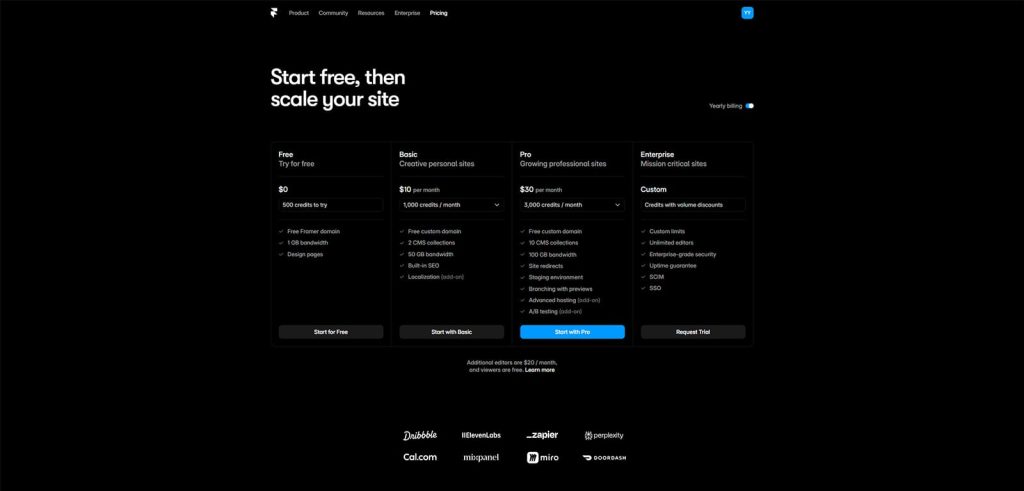
If you’re looking for a way to build a hotel website with Framer, all that’s needed is one of the paid plans and available templates that you can find in the Framer plugins marketplace. They provide a clear structure, a variety of elements, images, and other visual assets that you can use to customize your website in the mentioned page builder. The whole process is straightforward and concentrates on assembling content visually rather than coding.
As for the Framer hotel website that many users look at before even considering developing a website with a new builder, there is a variety of those available, both as free and premium solutions. From luxury hotels and resorts to small rental properties, any type of hospitality business can benefit from having its website developed with Framer, its templates’ responsive layouts, and customization possibilities.
The platform’s pricing options scale depending on your needs, allowing you to start small with a free custom domain and $10 per month up to all available features, CMS functionality, add-ons, and priority support in its Pro and Scale plans ($30 and $100 per month). The templates also reflect the best features of Framer while providing designs on a free and premium basis. Let’s look at some of the templates available at the Framer marketplace you can use for a hotel site below.
Oasila
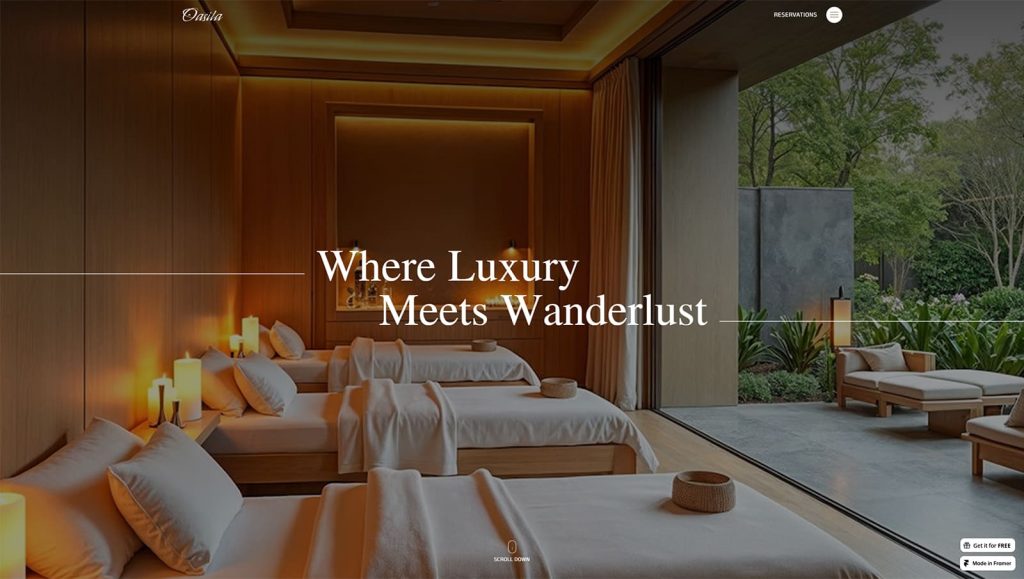
One of the free hotel website templates Framer marketplace provides for the hospitality industry is Oasila. It combines a full-screen homepage slider with an image-rich layout, delivering useful information about your hotel. The template also has an integrated blog page and quite a detailed form for checking accommodation availability. As a result, Oasila gives you everything you need to get started with a proper online presentation of your hospitality business.
Key features:
- 7 pre-designed pages;
- Responsive & mobile-ready page layouts;
- Detailed reservation form;
- Sticky header with a hamburger menu for easy navigation.
| Name | Developer | Price | Best for |
|---|---|---|---|
| Oasila | Bickyg | Free | Luxury hotels, resorts, vacation rentals |
Hotellia
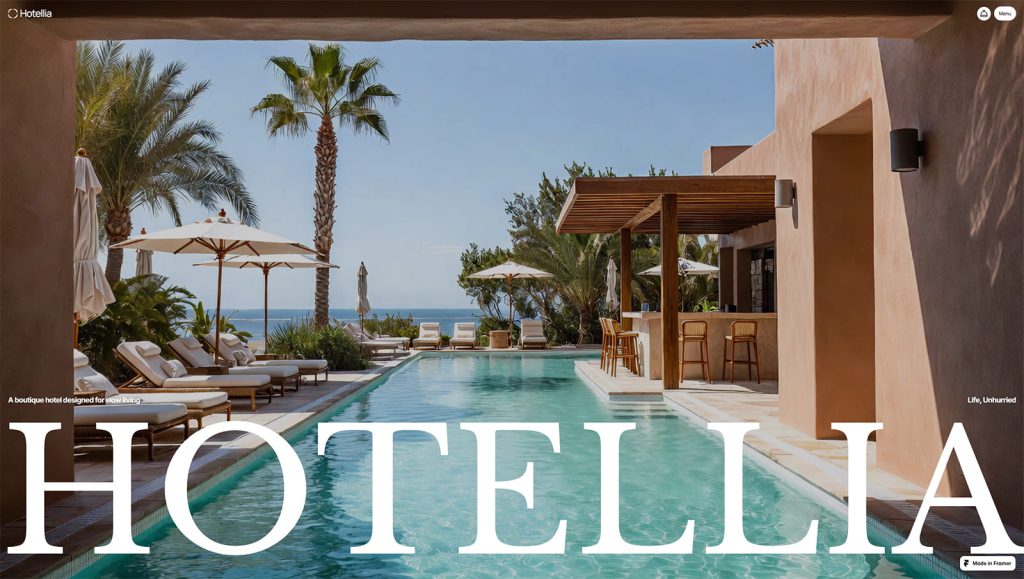
One more free Framer hotel template we recommend is Hotellia. Built with boutique hotels in mind, this minimalist design showcases not just accommodation but also dining options of a modern hotel. Similar to other Framer real estate template options built with and for Framer, it allows users to reserve a room online with a simple form similar to how rental booking apps do it. The template also includes a gallery page, which is perfect for showcasing the best moments from the life of your hotel or using it as a Framer real estate website.
Key features:
- 5 diverse responsive pages;
- Multiple content sections;
- 3 pre-built accommodation types;
- Smooth animations & transitions;
- Built-in grid gallery.
| Name | Developer | Price | Best for |
|---|---|---|---|
| Hotellia | Tato | Free | Boutique hotels |
Bellavista
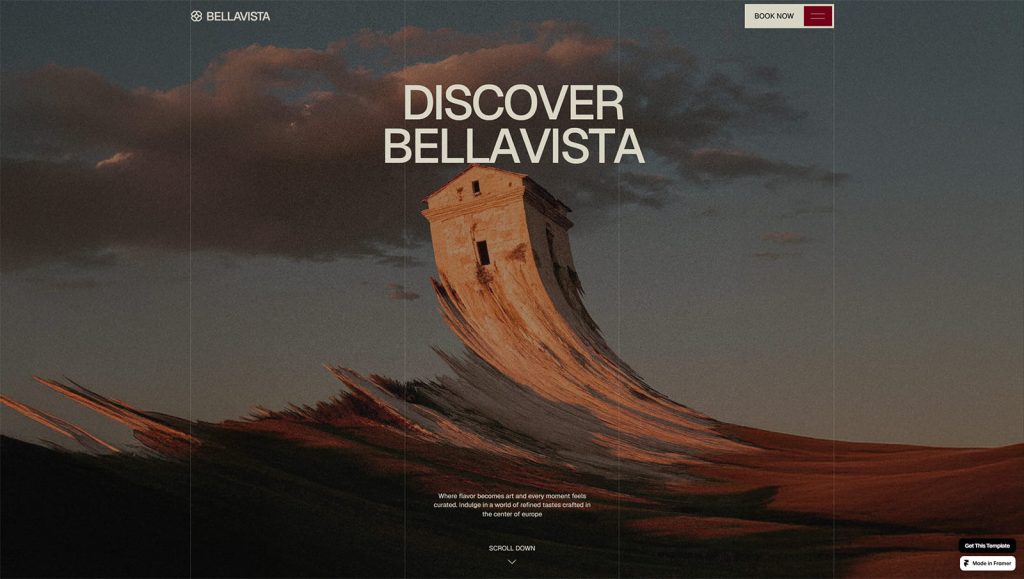
Among other hotel website templates, Framer marketplace offers quality premium solutions, and one of them is Bellavista. It is a great fit for boutique villas, luxury hotels, and top-notch vacation rentals. It offers a spacious, minimalist, and image-rich design built to impress your guests. From advertising rooms and amenities to offering a stunning presentation of provided services, this Framer website template can impress your potential guests and present your hotel efficiently.
Key features:
- 8 ready-made pages for your hotel website;
- Dedicated blog page;
- Testimonial slider section;
- Individual accommodation pages;
- Navigation menu and footer with social links.
| Name | Developer | Price | Best for |
|---|---|---|---|
| Bellavista | Basit A. Khan | $99/once | Luxury resorts, boutique hotels |
How to Add a Hotel or Property Booking Widget to Framer
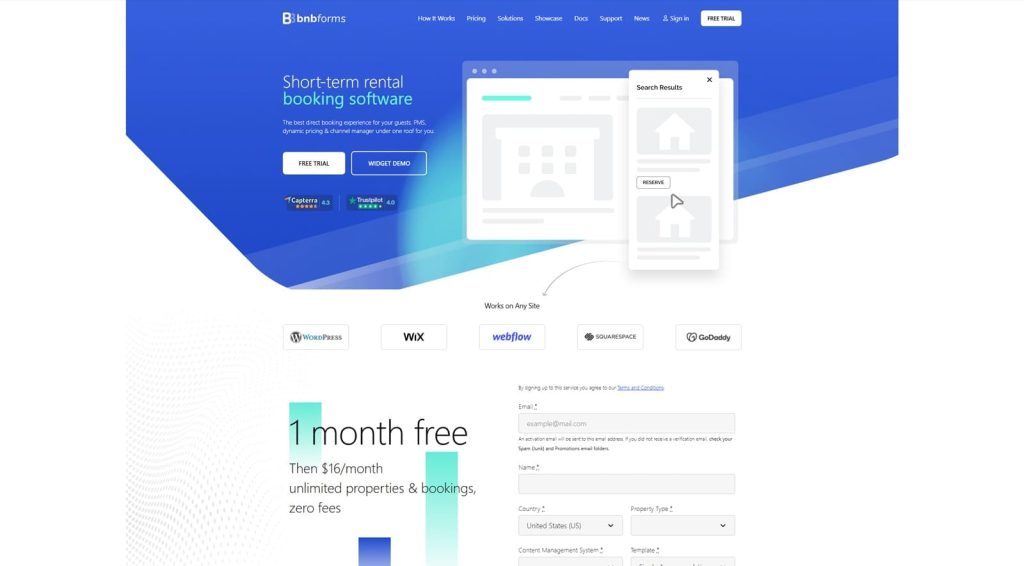
So, you have chosen a Framer hotel website template and built your website with it. What’s next? You may want to launch the website if your goal is to simply showcase accommodations and available services, while potential clients will most likely interact with you using the built-in contact or booking form. But what if you want to provide a smooth online booking experience? In this case, integrating a Framer booking system is a must.
While the Framer plugins marketplace provides a wide selection of tools you can add to your website, it still lacks solutions for hotel bookings. One of the recommended options in this case is to use embeddable booking widgets that allow for the integration of a configurable reservation form. Most online booking software that offer this feature support accommodation and date selection, bookable extra services, and secure payments, making your potential guests’ experience very smooth. Additionally, integrating booking functionality into a Framer hotel template may be done in many ways, including:
- Direct booking buttons;
- Calendar & payment gateway integrations;
- Simple booking forms;
- Widgets from external reservation platforms (BNBForms, Lodgify, etc.)
Integrate Framer with BNBForms
Now that we’ve learned some more about Framer, let’s look closer at BNBForms and how it can help your website with its booking widget and other functionality.
BNBForms is one of the recommended solutions to integrate with the Framer hotel website and nearly any other web development platform since it provides a wide range of possibilities and features for owners of STRs and hotels. With this platform, you can use two ways to add booking functionality to your hotel’s online presence – either by adding a booking button or a full-fledged reservation form with multiple options. Here’s what using BNBForms provides for your hospitality business:
- High-performing direct booking flow: The platform is secure and mobile-friendly, allowing your guests to book any accommodation and extra services they need on any modern device using your Framer website.
- Multi-location property support: With its built-in PMS, BNBForms makes it simple for you to manage multiple rental properties as well as diverse accommodation types. This simplifies many core processes, allowing you to automate them and invest more time into the development of your hotel business.
- Seamless brand customization: Thanks to a fully customizable booking widget, you can create a unique experience for your potential guests who don’t just want to browse your Framer website but also book directly from you and learn more about your brand.
- Embeddable booking widget: As we mentioned above, BNBForms integrates with any website easily, thanks to its embeddable Framer booking plugin or a BNBForms widget. It supports iFrame and JavaScript, allowing you to choose how the widget is displayed and activated on your Framer website – be it a link, page, or a booking button.
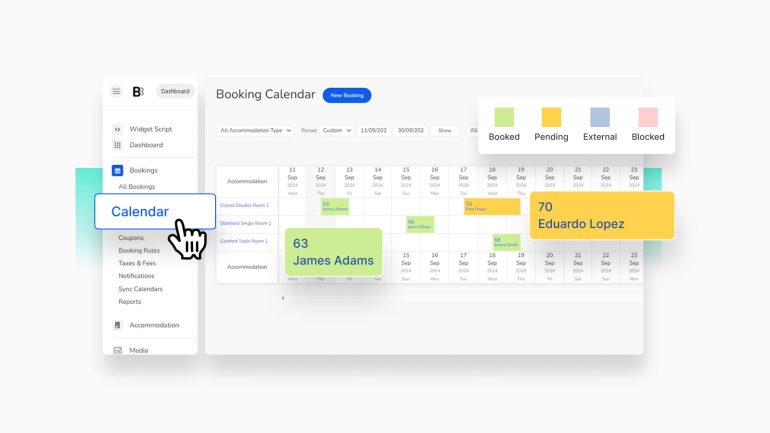
- Channel manager: If you don’t need bookings, you can also use BNBForms for availability display and management from multiple OTAs that support iCal synchronization. From Airbnb to VRBO and Booking.com, the offered platform helps with easy tracking of all your properties’ performance in one place, without you having to pay for expensive solutions
| Name | Developer | Price | Free trial |
|---|---|---|---|
| BNBForms | BNBForms | $16/mo | 1 month |
Embedding a Widget with Framer
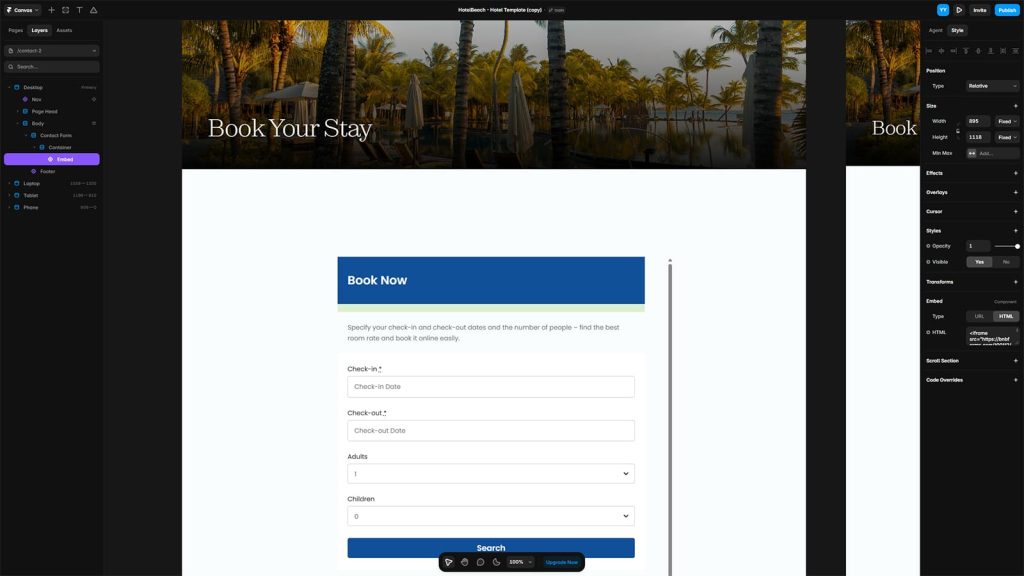
Option 1. Use simple on-page embed
If you are already a user of both Framer and BNBForms and want to integrate the booking functionality using the mentioned widget, it can be done in a few simple steps. Follow the guide below to start accepting bookings on your Framer hotel website.
- In your Framer project, navigate to the insert menu and find the Embed component.
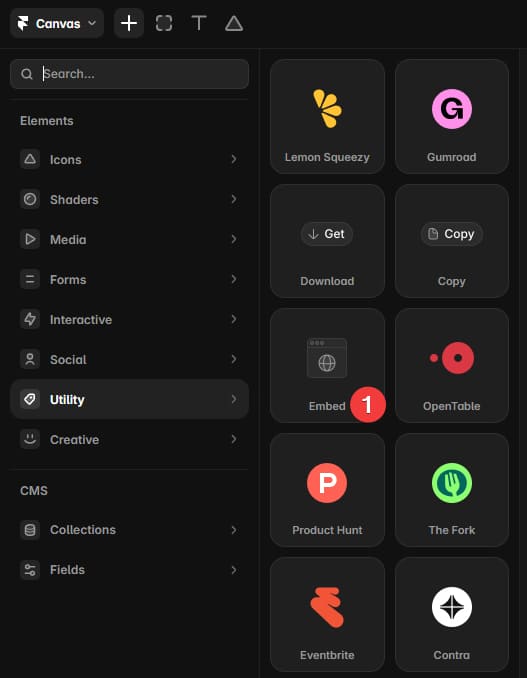
- Drag it into the canvas of your Framer website.
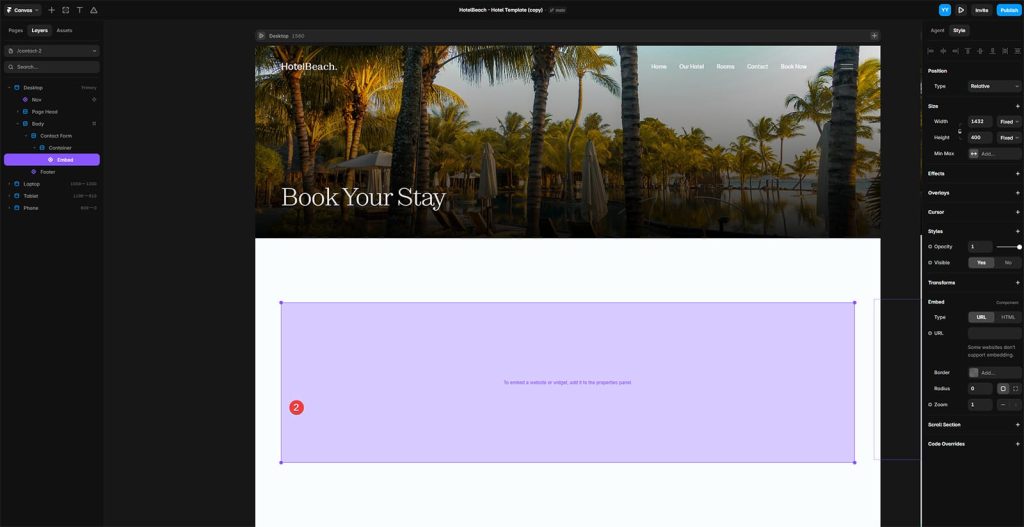
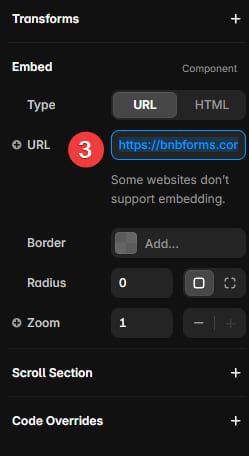
Using this component, you can insert a URL of your booking widget, such as https://bnbforms.com/100112/, in its URL section.
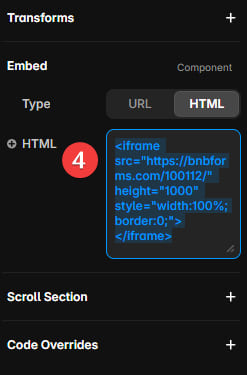
- Additionally, the Embed feature of Framer supports adding <script>…</script> tag in the HTML section, so you can insert the BNBForms iFrame script to a chosen page via the Framer HTML window. Find the BNBForms iframe script via Dashboard > Widget Scrip > Scroll down to the iFrame code (‘3. You can alternately embed booking widget on a single page’) > Copy code.
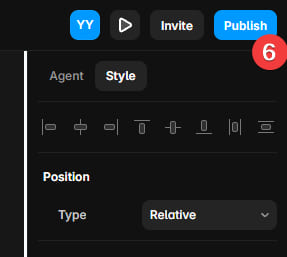
- Don’t forget to save any changes you made to your project by pressing the Publish and Update buttons in the Framer editor.
2. Use custom code option in Framer (for a floating Book Now button)
If you’d like the Book Now button to appear on every page of your Framer website, you can add the BNBForms widget script using Framer’s Custom Code feature.
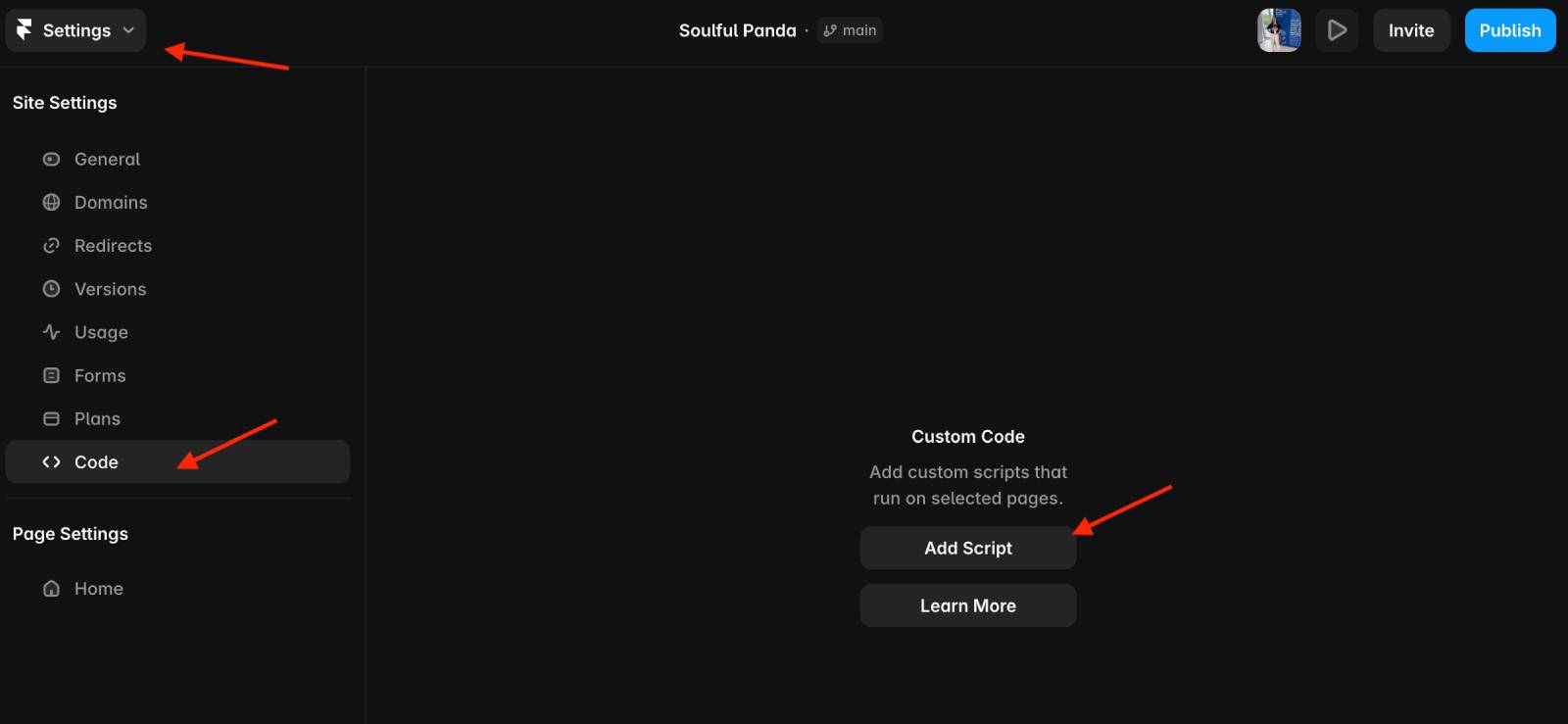
Open Project Settings and select the Code tab from the left sidebar. Click Add Script (or Add if you’ve already created other scripts).
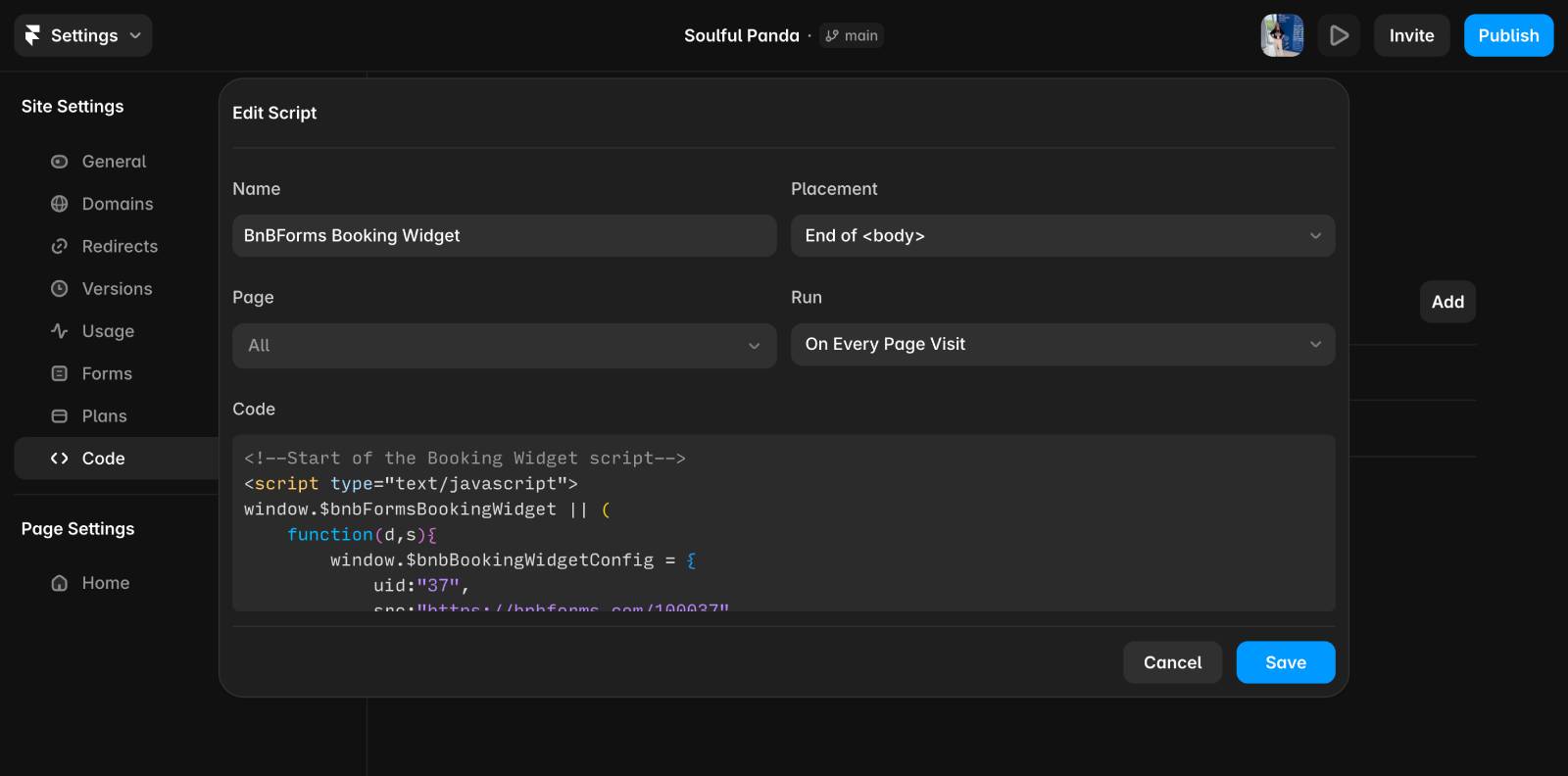
Give the script a descriptive name, such as BNBForms Booking Widget. For the best results, set Placement to End of <body>, choose All pages (or select only the pages where you want the widget to appear), and set Run to Run on every page visit.
Next, return to your BNBForms dashboard and navigate to Dashboard → Widget Script. Under 1. Copy booking widget script, click Copy.
Paste the copied script into the Code field in Framer, then click Save.
After publishing your website, the floating Book Now button should appear across the selected pages.
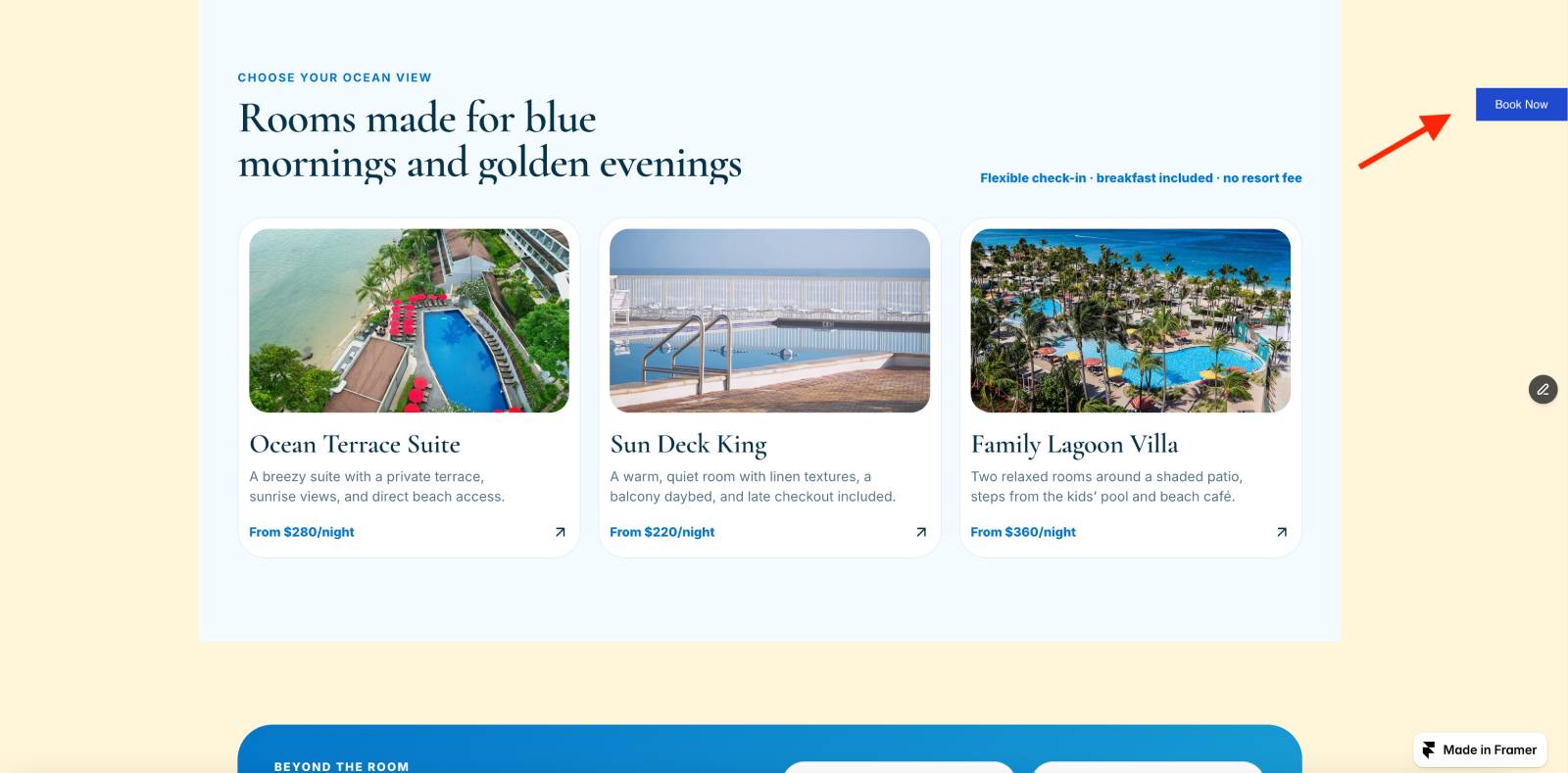
Note: The floating widget is only displayed on the published version of your website. It may not appear while previewing your project inside the Framer editor.
Once you’ve finished adding the widget, click Publish (or Update) in the Framer editor.
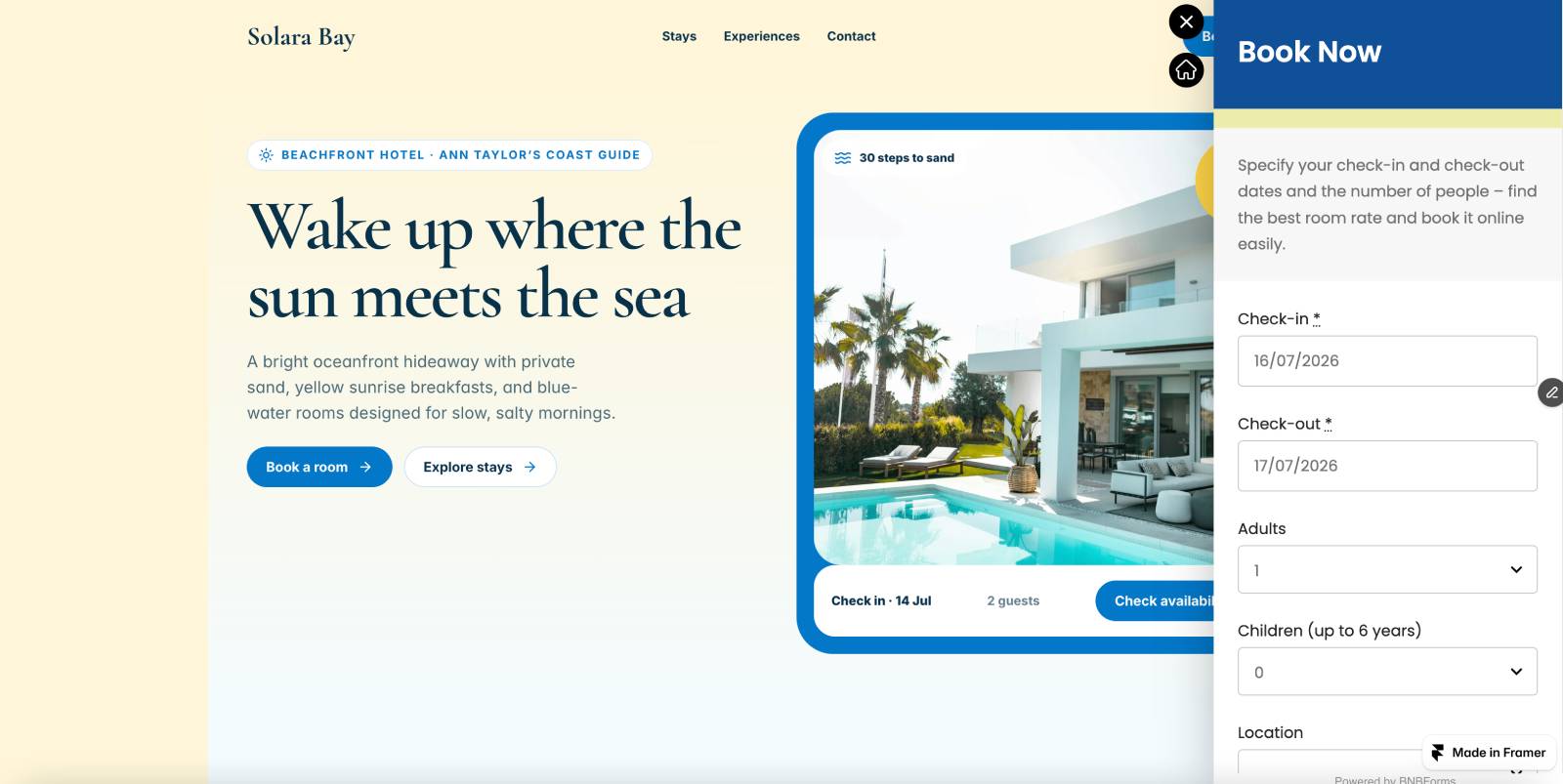
Your BNBForms booking widget is now live, allowing visitors to check availability and book directly from your Framer website.
Conclusion: It’s easy to embed a direct booking widget to Framer hotel site
As you see, creating a website with Framer is a smooth process that combines creative freedom with practical functional advantages provided by the platform. Regardless of what kind of Framer hotel website you need to build, the Framer website builder can assist you even with complex designs and concepts. Moreover, with an integrated Framer booking system like BNBForms, you can enhance your newly built website for vacation rentals and holiday homes to handle direct bookings with ease. With both of these tools, you get access to the following benefits:
- Seamless form integration: By embedding BNBForms directly into Framer layouts, you can keep user experience consistent while getting access to the advantages of a PMS.
- Faster lead capture: BNBForms handles booking form functionality out of the box, meaning you don’t need to build any backend logic – just place the widget and start collecting direct bookings.
- Mobile-responsive setup: Framer and BNBForms are optimized for responsiveness. Combining both ensures your Framer real estate website template works smoothly across all devices while also delivering an easy way to provide direct booking capabilities with a real-time calendar.
- Easy customization: Feel free to modify booking forms and scale them across Framer pages, while BNBForms maintains your guests’ data collection simple and efficient.