Wow, I absolutely didn’t expect AI site builders to actually be capable of things like this (not trying to exaggerate – this is an AI skeptic speaking here).
This 10Web AI website builder review is purely based on my hands-on experience of generating a short-term rental site with AI, all within a free trial account at 10Web to test everything with no obligation (those three trial days are too many, haha!).
If you need a short-term rental or hotel website quickly – and want it to look professional rather than cheesy or stock-like – I’m sharing my experience here.
Heads up – I have no affiliation with 10Web and no intention to advertise it as the coolest solution for the hotel site (that’s what you’ll see in many ‘reviews’ from affiliated bloggers).
My goal was to test the integration of the BNBForms booking widget (for taking direct bookings from your rental accommodation site) with the AI hotel website-building process, and to see whether it’s a viable and fast solution for anyone wanting something simple, quick, and visually appealing. That’s why you’ll see my hands-on, pros and cons of 10Web AI here!
Let’s get started?
What did I end up with using the 10Web AI Builder?
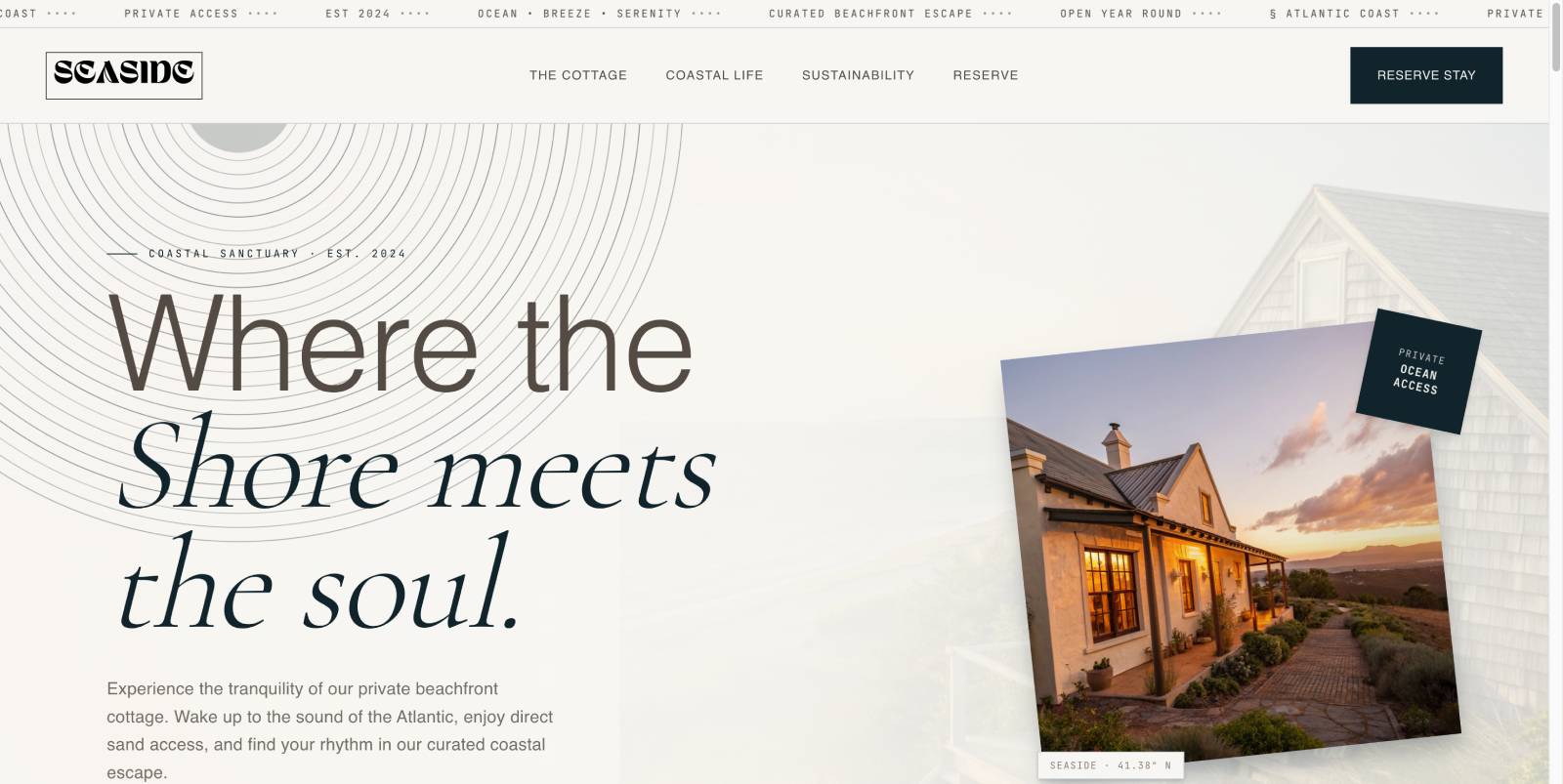
I aimed to build a hotel / beachfront cottage site – that’s the prompt I started with within my trial with 10web. Here is the front page I got:
Under the hood, it’s a WordPress site, installed on their server + you can connect your own domain (if you transfer it, for example) or buy all from 10web and get the all-in-one solution.
Because 10Web is more than just an AI WordPress site builder, it’s an all-in-one platform that can provide also:
- Managed WordPress hosting (on Google Cloud infrastructure)
- Free SSL certificate
- Automatic backups, caching, CDN, and performance optimization
- A visual editor (Elementor-based) to customize the AI-generated site.
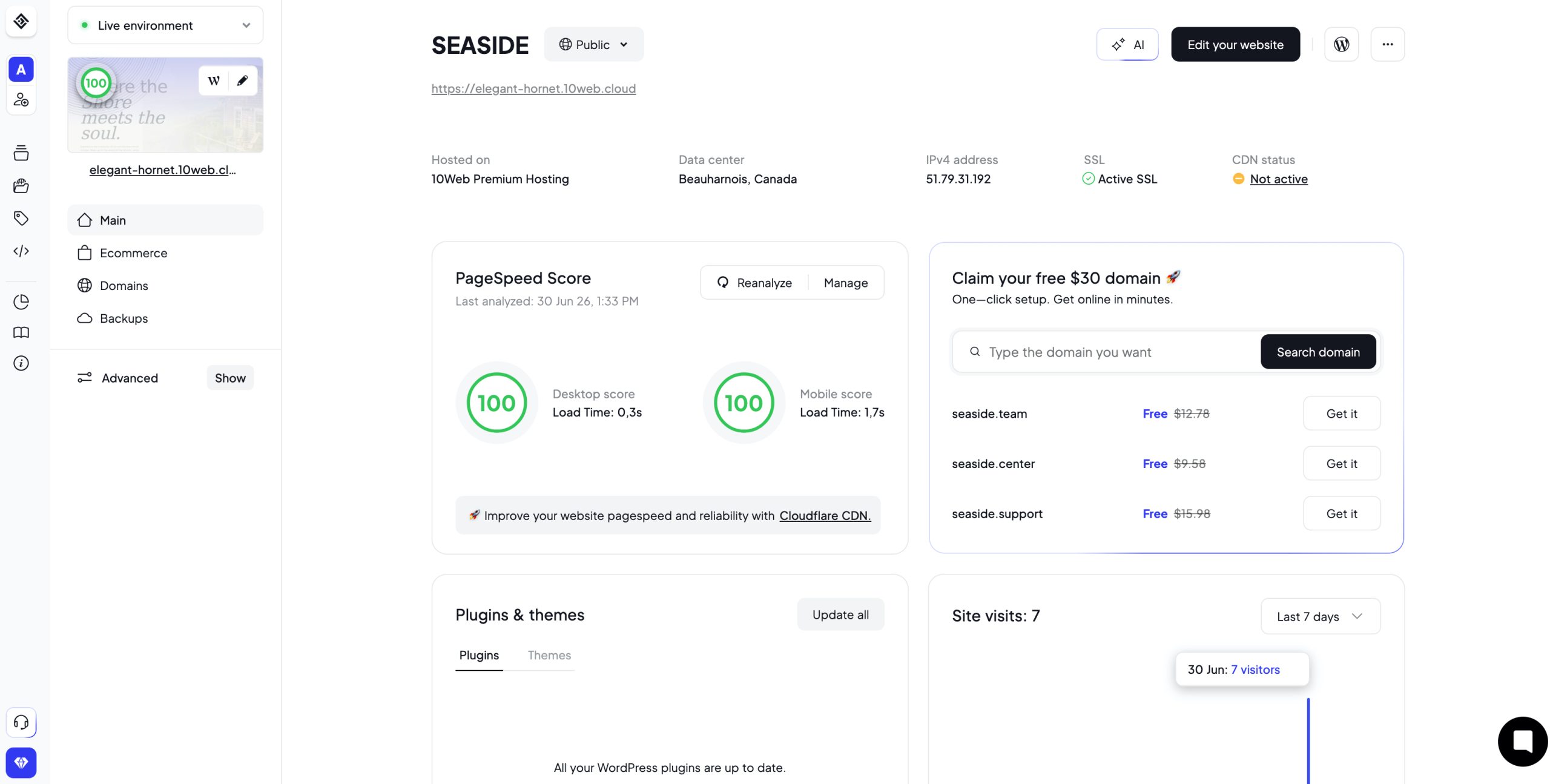
The custom dashboard looks pretty much like the modern hosting panel:
A domain is not automatically included in every situation, but you have a few options:
- Use a domain you already own.
- Buy a new domain through 10Web during setup.
- On many paid annual plans, 10Web includes one free custom domain for the first year (up to a certain value, typically around $30).
So, I generated a professionally looking hotel design (to be more precise, a beachfront villa design but it’s all lovely in any case – aesthetic and typography, generated sections correlate with the realities of the business, etc.).
This design allows me to showcase rooms, services, prices, events and local tour attractions for tourists.
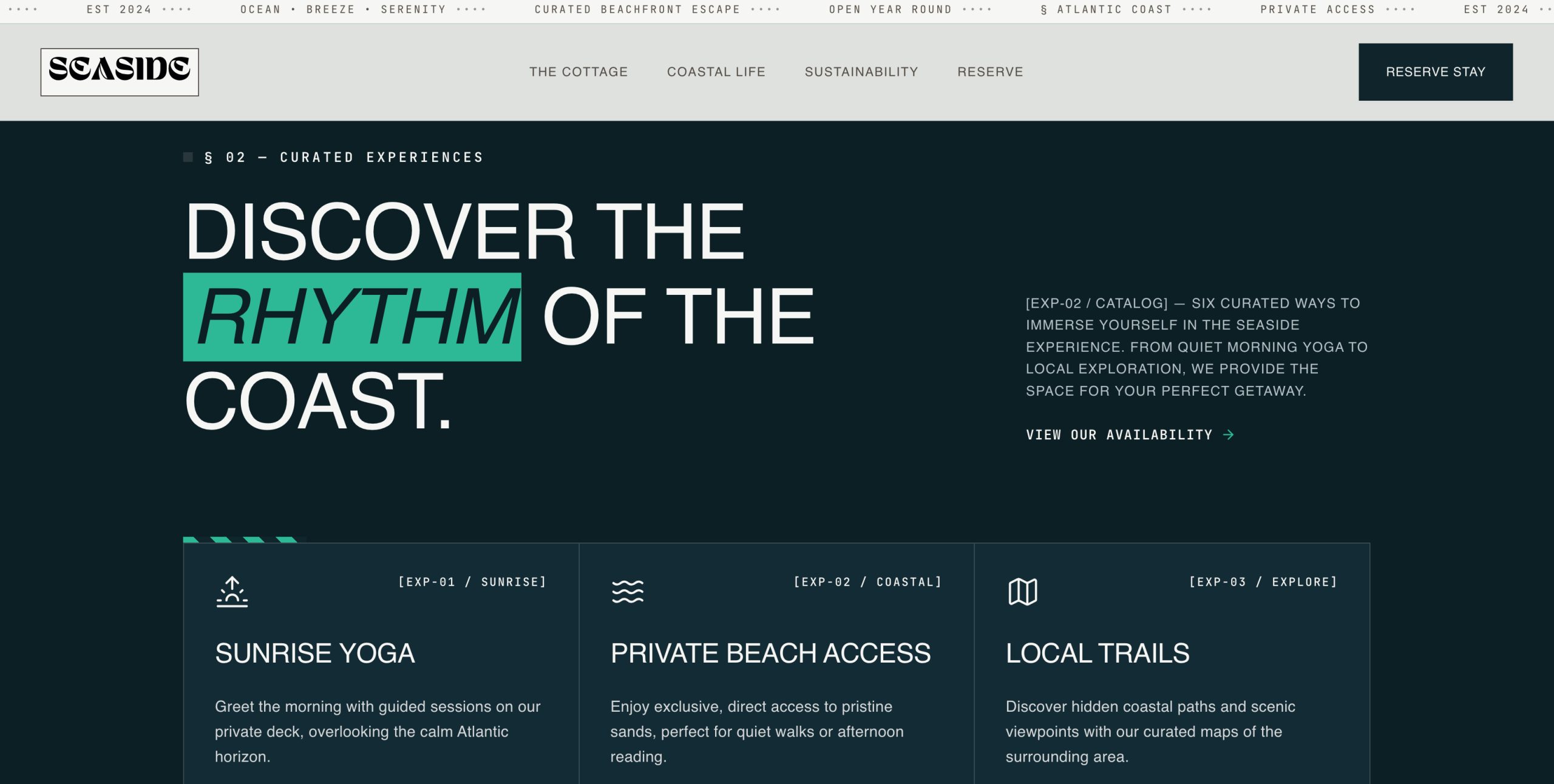
For example, here is the events page – you may just replace content with your hotel events:
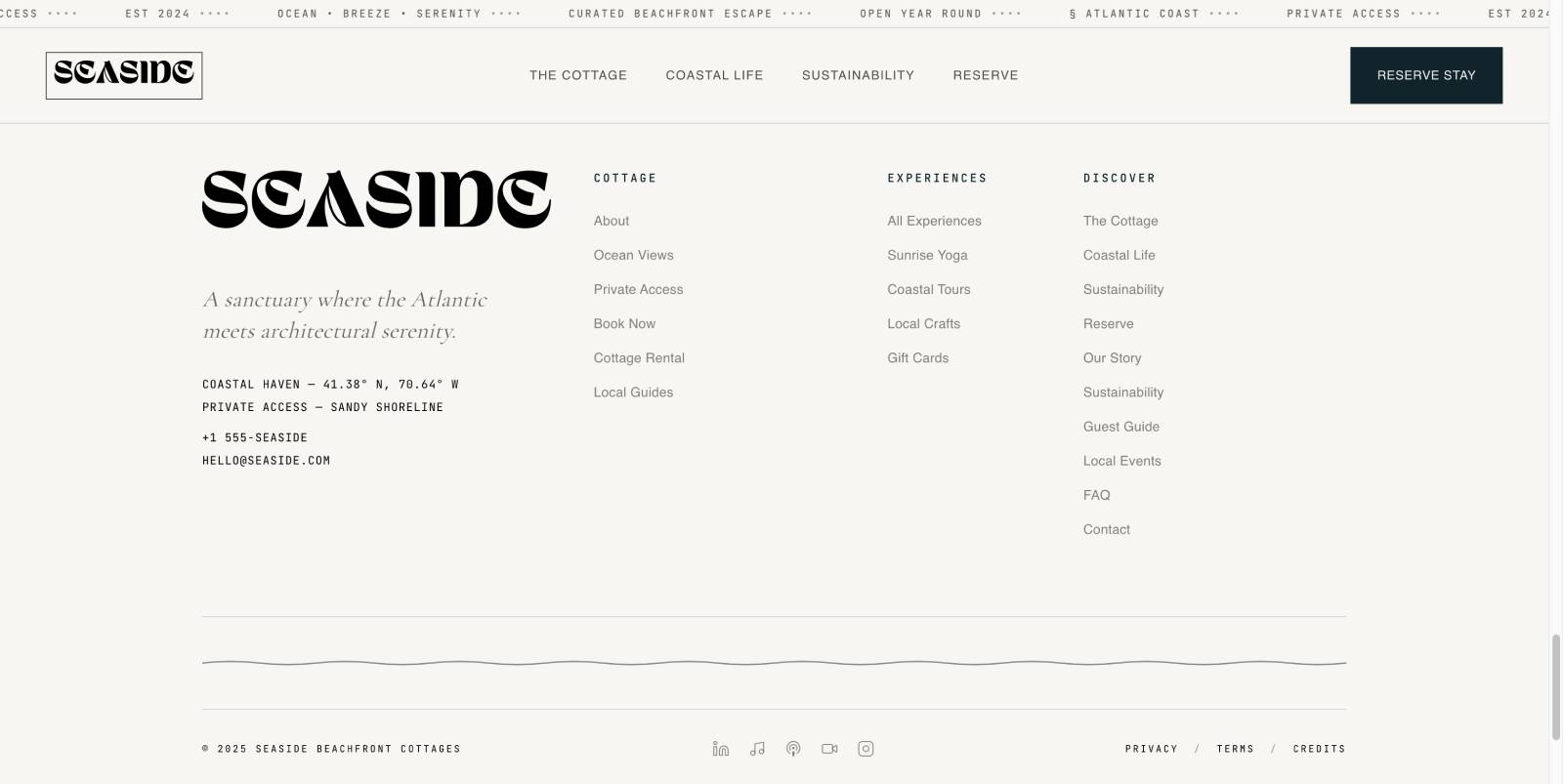
I particularly loved footer with these decorative elements:
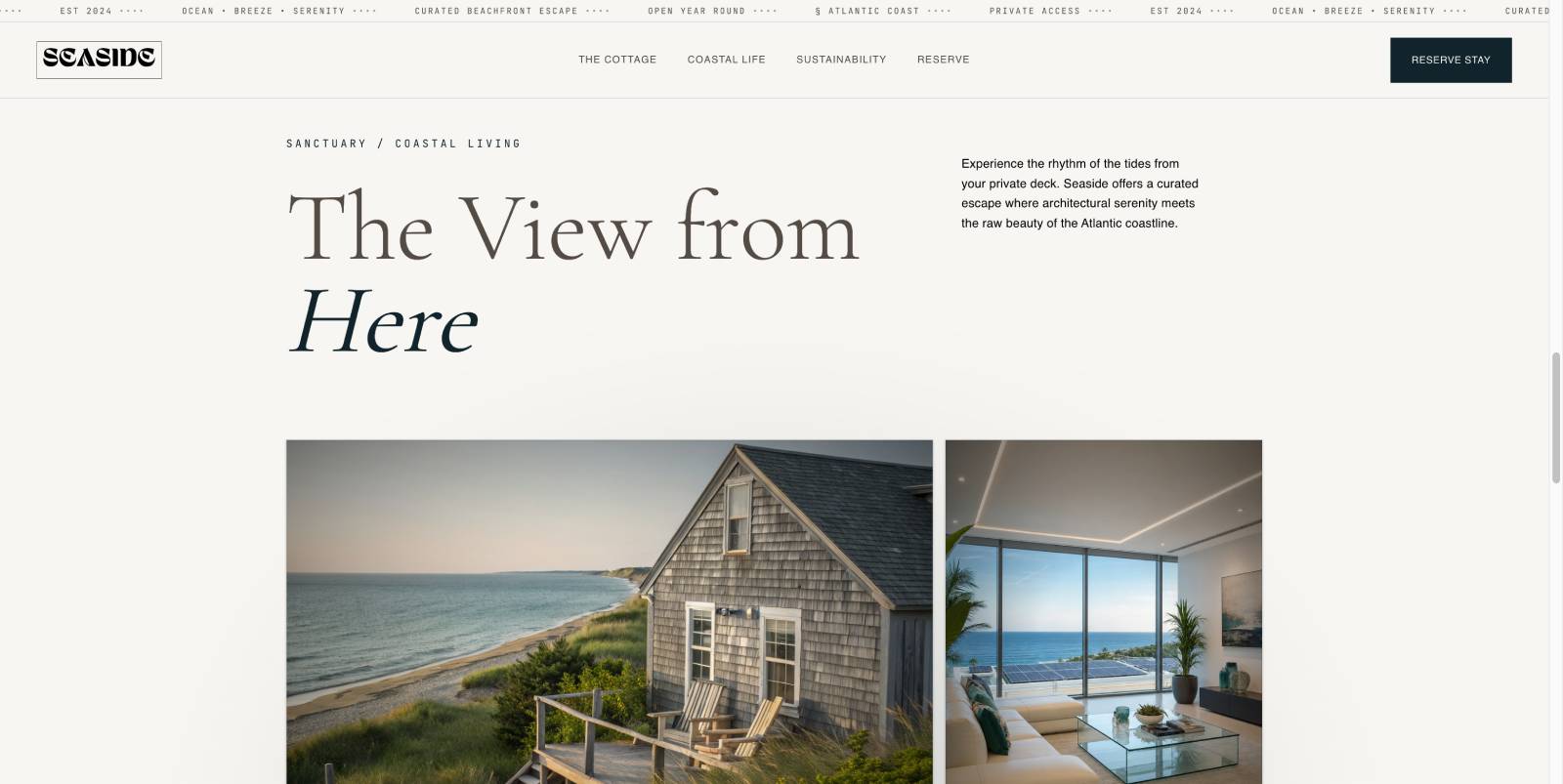
And this was my cottage page, with an animated image gallery:
For direct bookings, I simply inserted the BNBForms widget into my generated 10Web site (more on this in a while).
I also got a real WordPress installation (not a proprietary website builder) with access to the WordPress dashboard (more features and plugins unlocked with a paid plan).
What I loved about the process with 10Web
So, here I’m summing up my positive experience with the 10Web AI website builder:
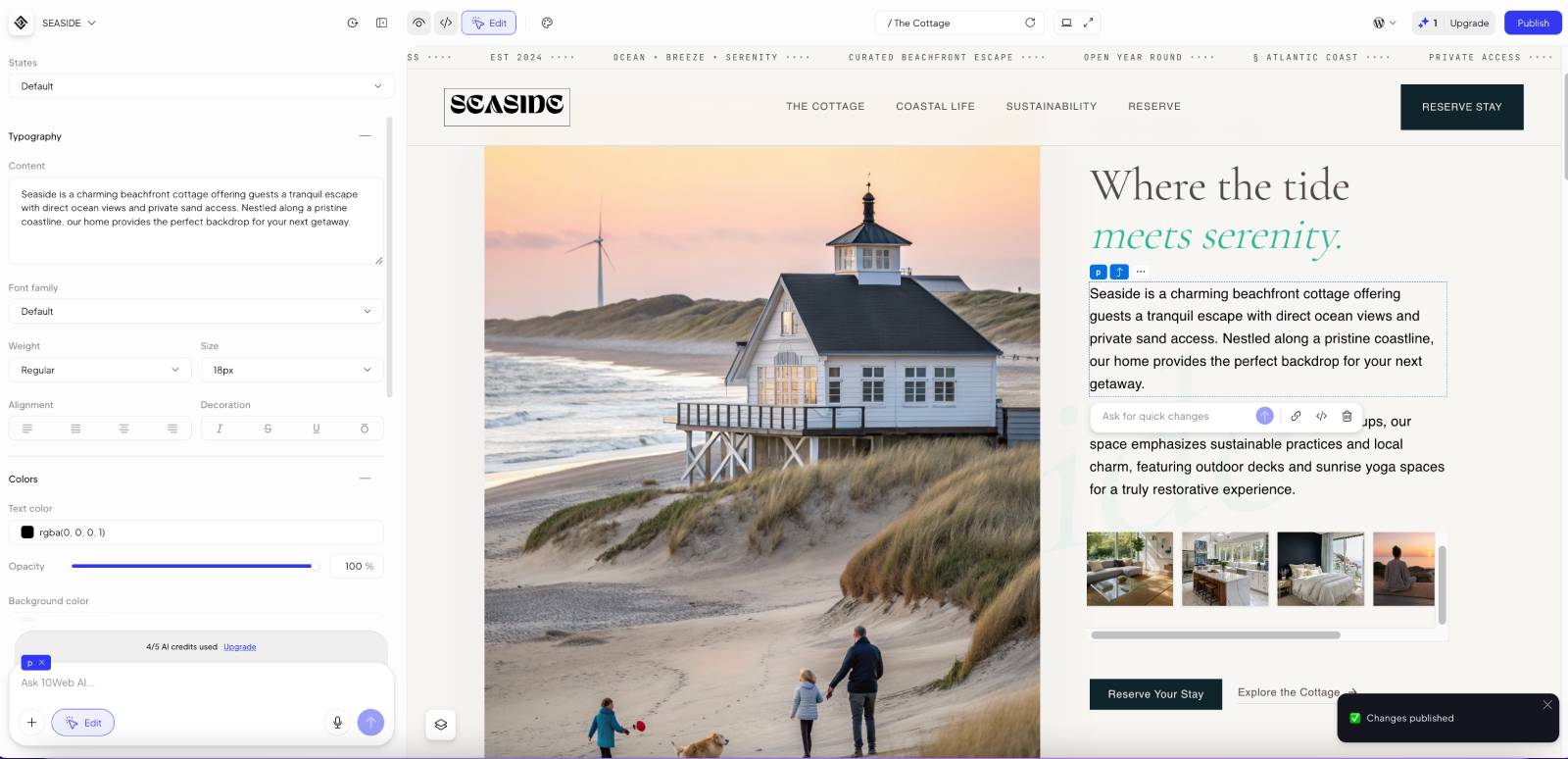
- It took me literally 15 minutes to get started (confirm your email, describe your future website, pick some layout references) and another ~15 minutes to get a proper site which I loved. I hate those multi-step registration forms so this was a nice UX. Note – I’m talking about a site filled with sample content! You won’t need to spend time on designing – but you do need time to replace sample pieces with your actual content – that will take more time for sure!
- If you don’t like the result, you can press ‘regenerate’ to get a new starter design.
- Finally, I felt AI is not just a filler word but working for my needs (I got a feeling it understood my needs better than me!).
- Smart dedicated elements in chat, e.g. for a code snippet insertion, which is what I needed to insert my STR booking widget.
- It even generated me a cool site logo, which is, trust me, a big struggle if you are a solo business.
- I didn’t specify the color palette for my site first and the default generated result seemed offputting for a beachfront villa (even though I loved it later and didn’t change) – but it was super easy to change the color palette.
- Customization is nice (based on Elementor, the most popular WP site editor) – you CAN edit pages as with traditional WYSIWYG – like in the WordPress block editor, not just with AI messages. You can’t push the limits too much with what you can do, but you can fully customize the design that was generated for you. That’s one of the best 10Web AI website builder features.
Limitations of the 10Web AI I experienced (and predicted)
There are always flaws in the process; mine were as follows:
- AI won’t always perfectly understand you from the first time (no wonder). It may also be slower than your ChatGPT (because generating a site is a more time-consuming task).
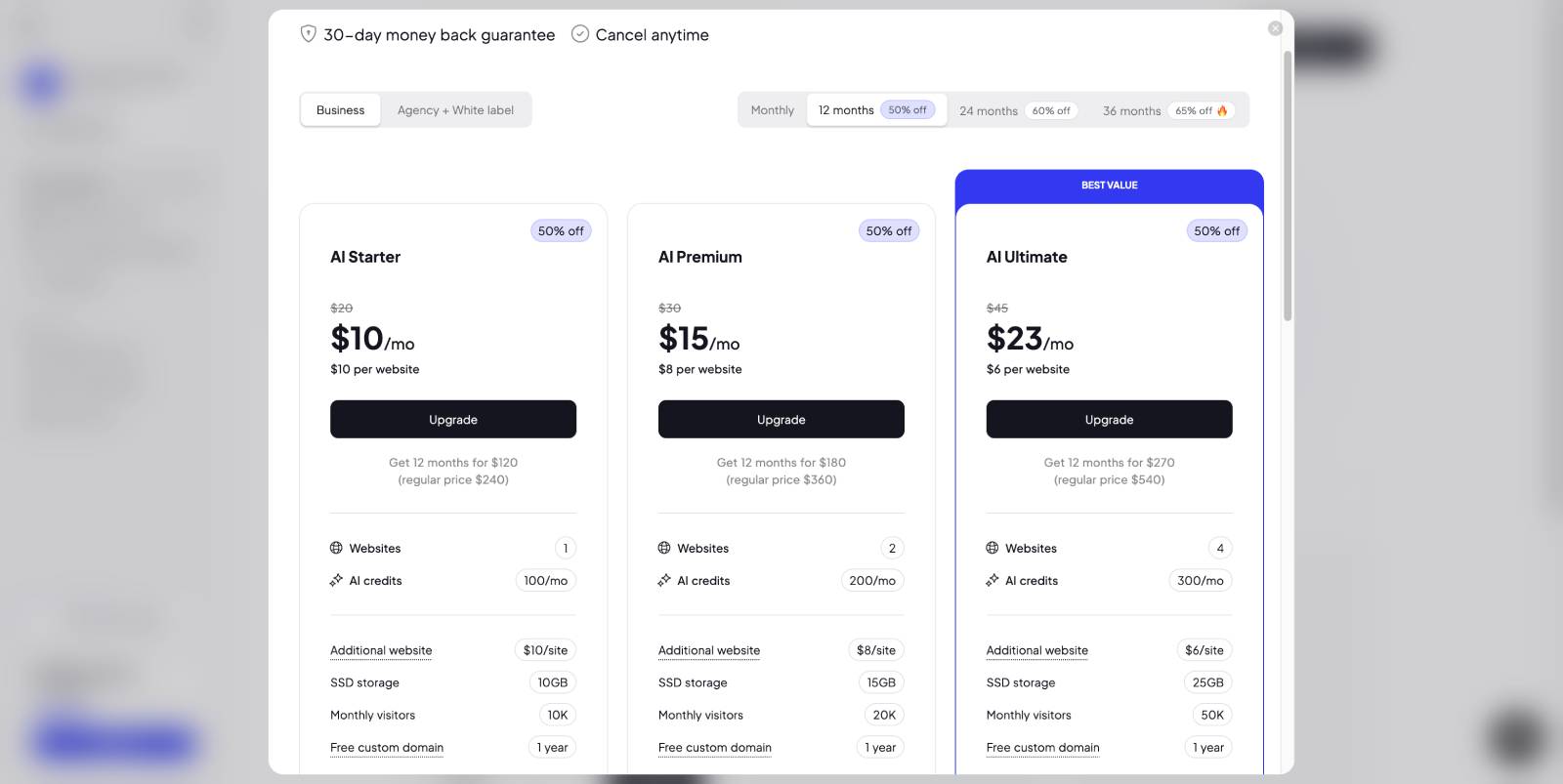
- AI credits wipe out quickly, you have to be very precise in your chat to get the satisfying result during your trial. A 3-day trial period seemed short at first glance compared to other platforms but without credits you won’t be able to do much more.
- For my particular accommodation booking website case, I wasn’t able to insert a third-party code snippet to the header part of the site to make the Book button appear everywhere across the site. Only iFrame embed worked (a specific page).
- For freelancers and developers who know WordPress and love more freedom, this option is rather more restricting and expensive. But once again, it’s perfect if you want to figure out (hosting, playing with content blocks, maintenance, plugins and themes, navigation, design, etc.) NOTHING. But if you love the freedom WordPress gives, you will feel a bit limited.
How I added direct bookings with BNBForms to 10Web AI website
In my STR scenario (an Airbnb listing combined with a direct booking website generated with 10Web), I want direct bookings to account for the majority of my reservations. To achieve this, I’m adding my properties, rates, booking rules, and availability in my BNBForms account to create a fully functional website where guests can book directly without paying extra platform fees.

How much does BNBForms take from each reservation? Nothing. You simply pay your monthly or yearly subscription fee – that’s it.
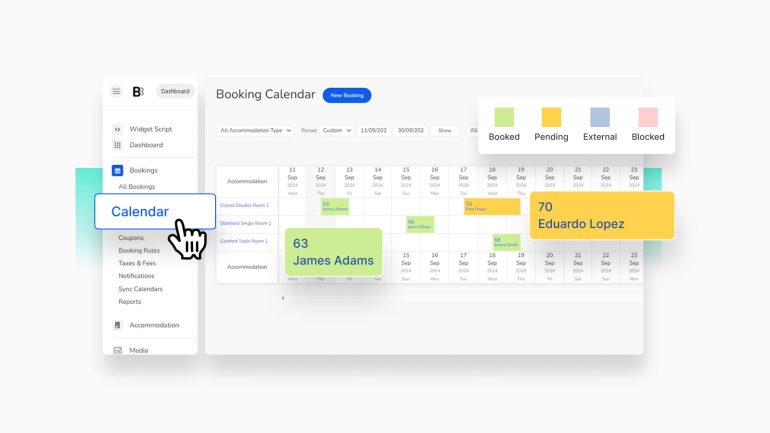
Moreover, BNBForms syncs your bookings through iCal with Airbnb, VRBO, and other supported platforms. With BNBForms, you don’t need to manage your calendar separately in your Airbnb dashboard. Everything is synchronized automatically, and BNBForms both sends and receives booking data. You can view all your reservations and availability directly from your BNBForms account.
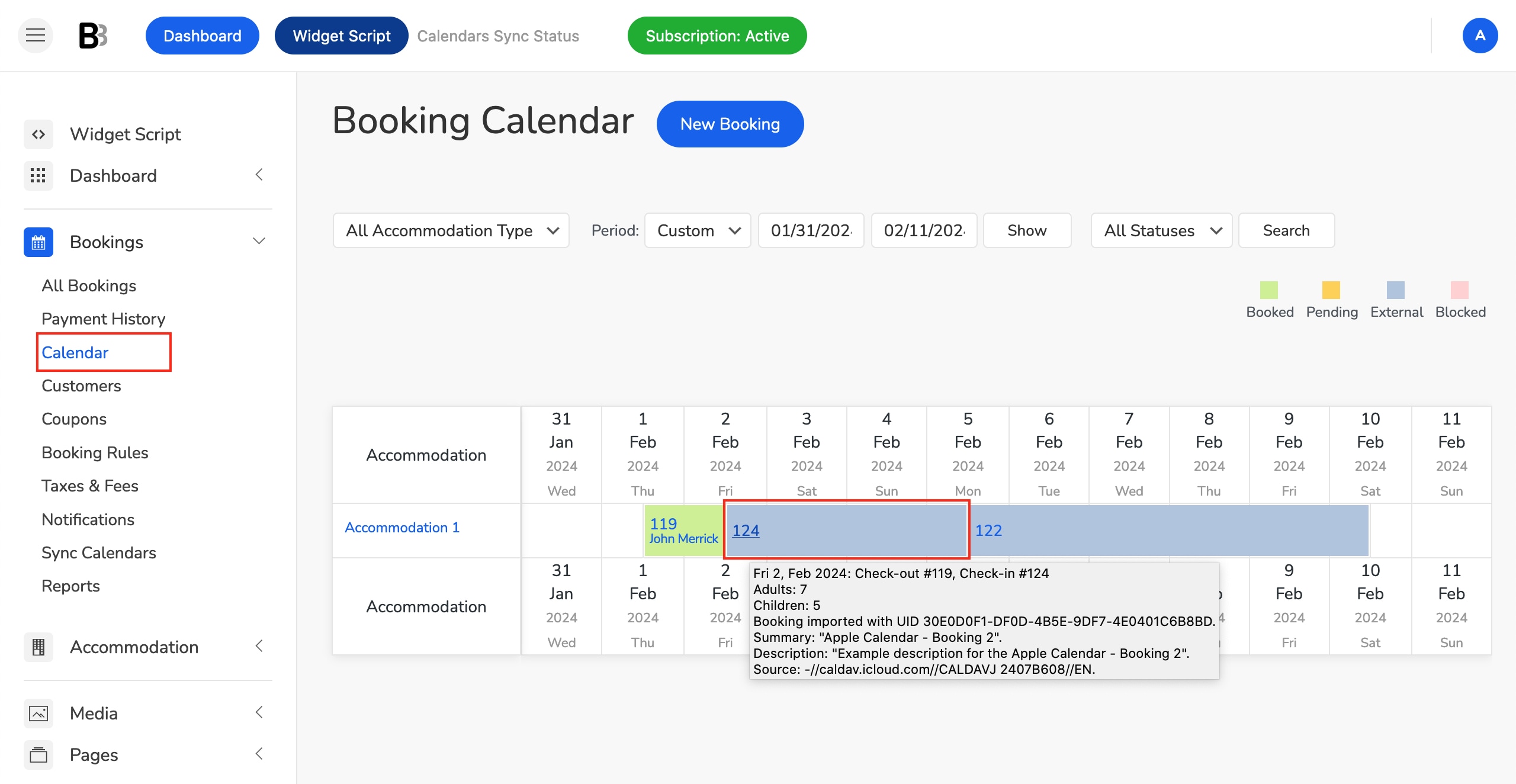
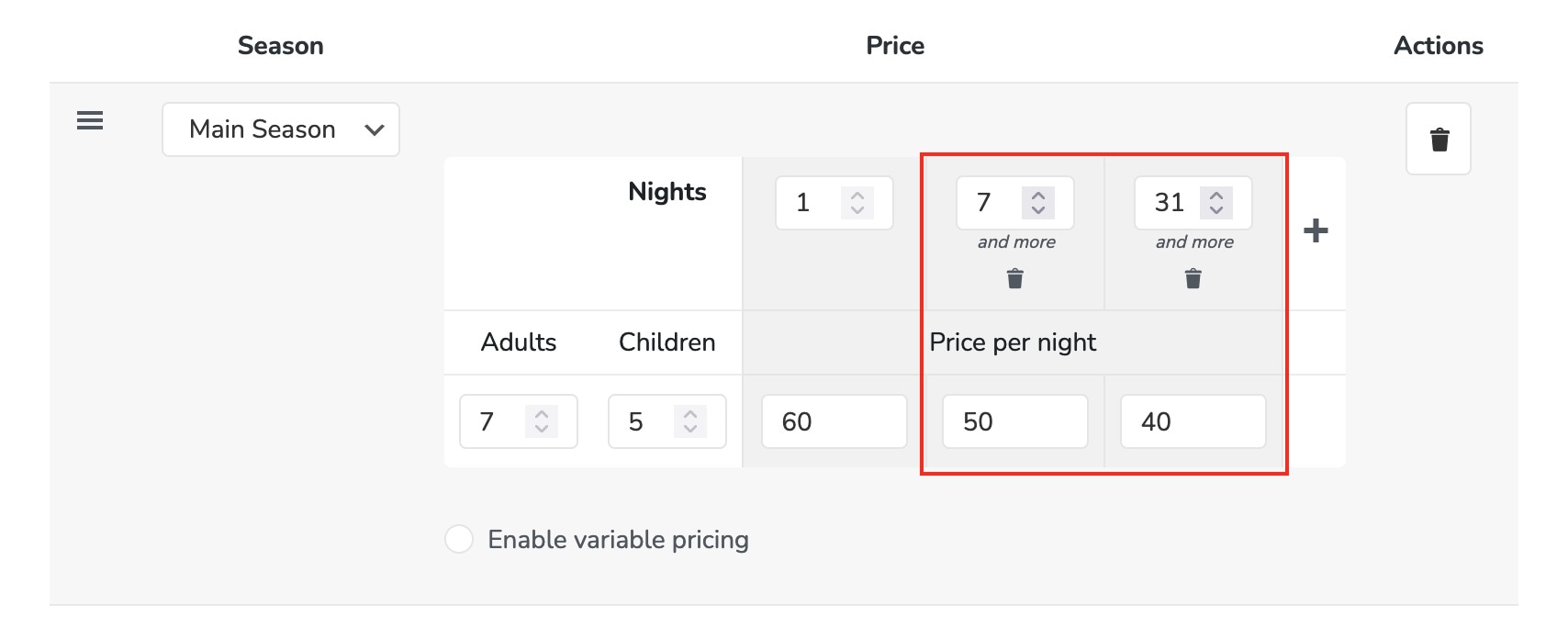
If you need dynamic pricing, you can either configure it using BNBForms’ built-in rate rules (with multiple pricing conditions) or connect your PriceLabs account.
How do you add property details to your BNBForms account? One caveat is that you’ll need to manually enter your property information (or simply copy and paste it if you already have it elsewhere). Likewise, if you don’t use dynamic pricing software, you’ll need to manually add and maintain your pricing. But it’s easy.
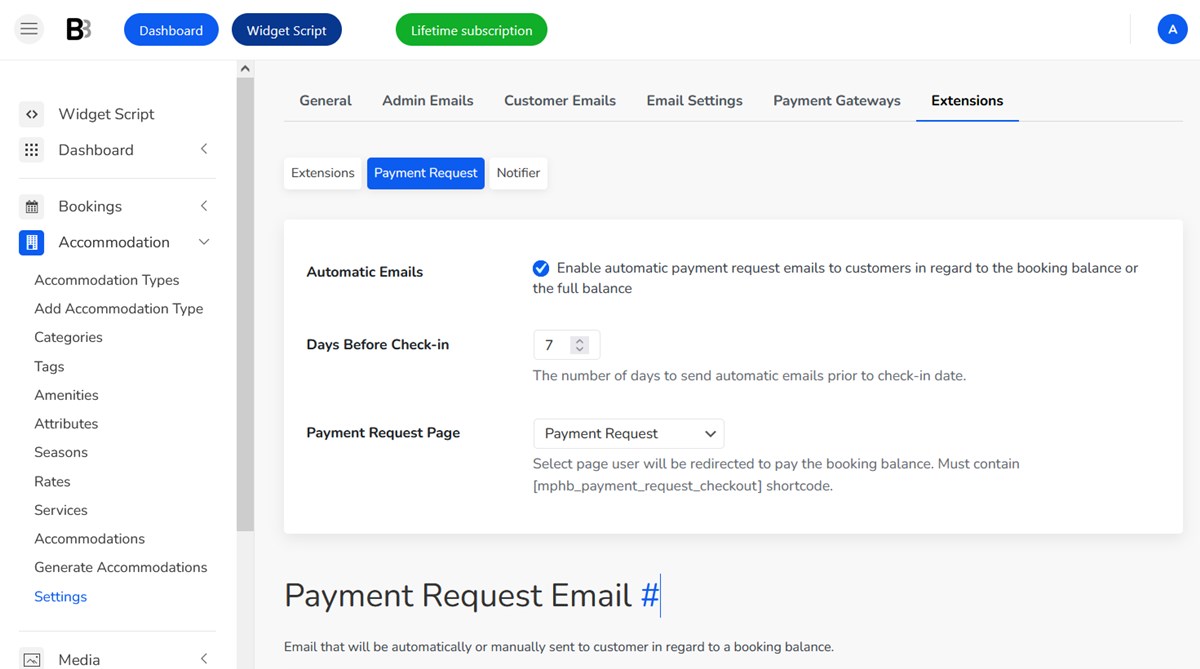
BNBForms also includes automated guest messaging. The same types of messages you would normally send through Airbnb – such as check-in instructions, after-stay emails, payment requests, and other guest communications – can also be sent through BNBForms.
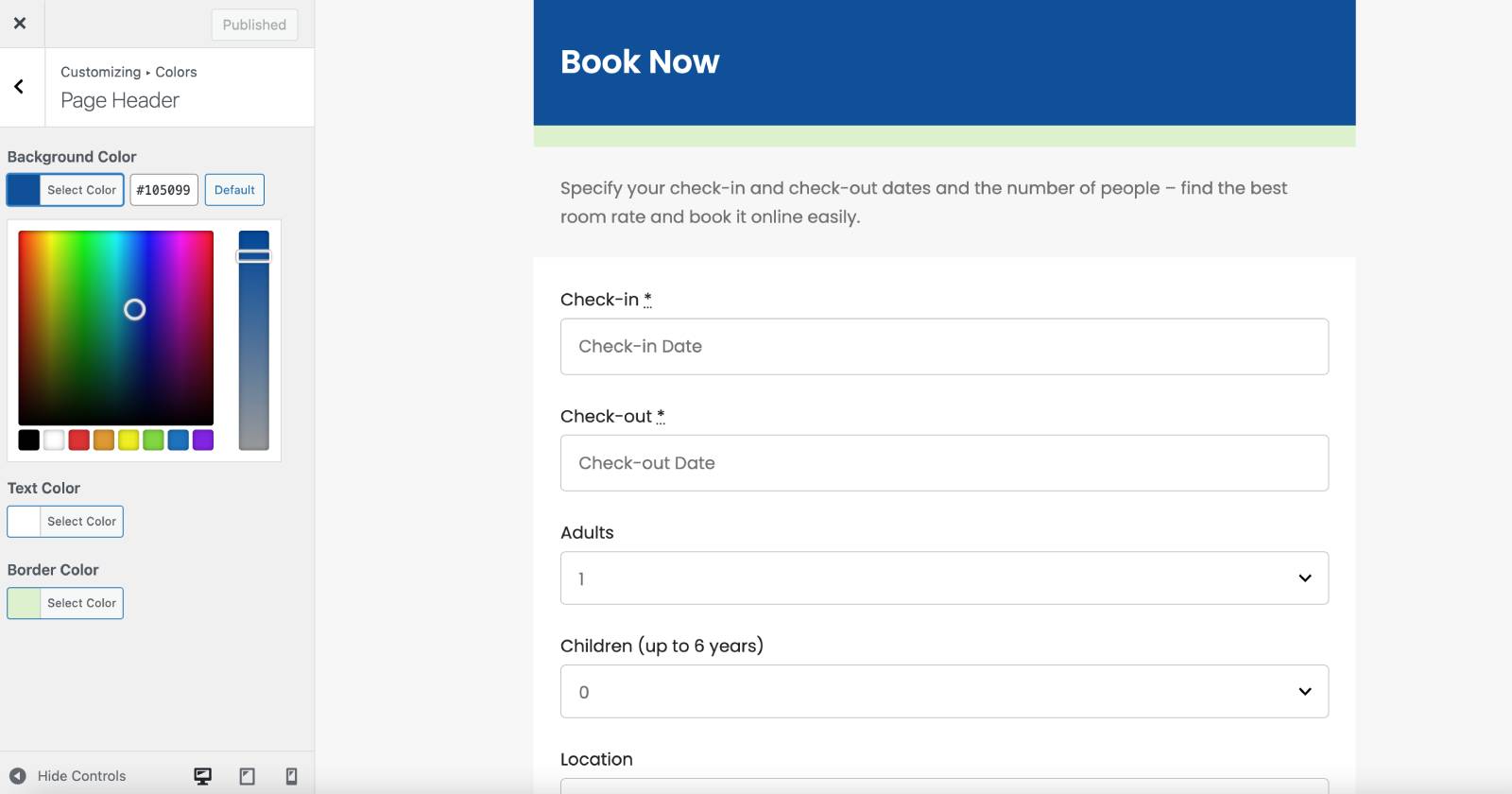
I can also apply custom colors to my BNBForms widget to make it a better fit for my generated AI hotel site.
Adding a booking widget to 10Web
A vacation rental booking widget is something generated automatically (a code snippet for copy-paste) after you’ve set your BNBForms preferences, added properties, and customized the design of the widget.
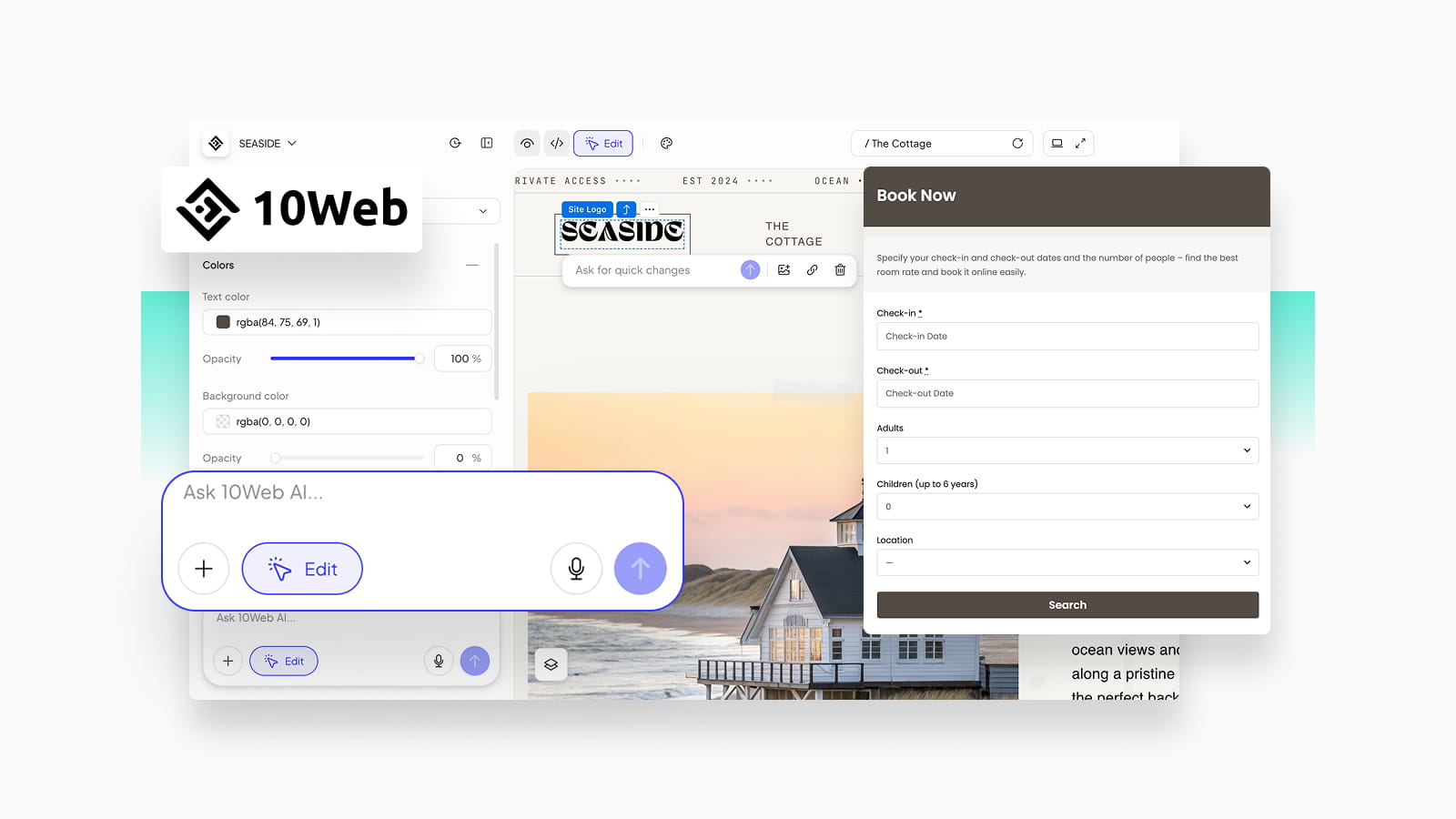
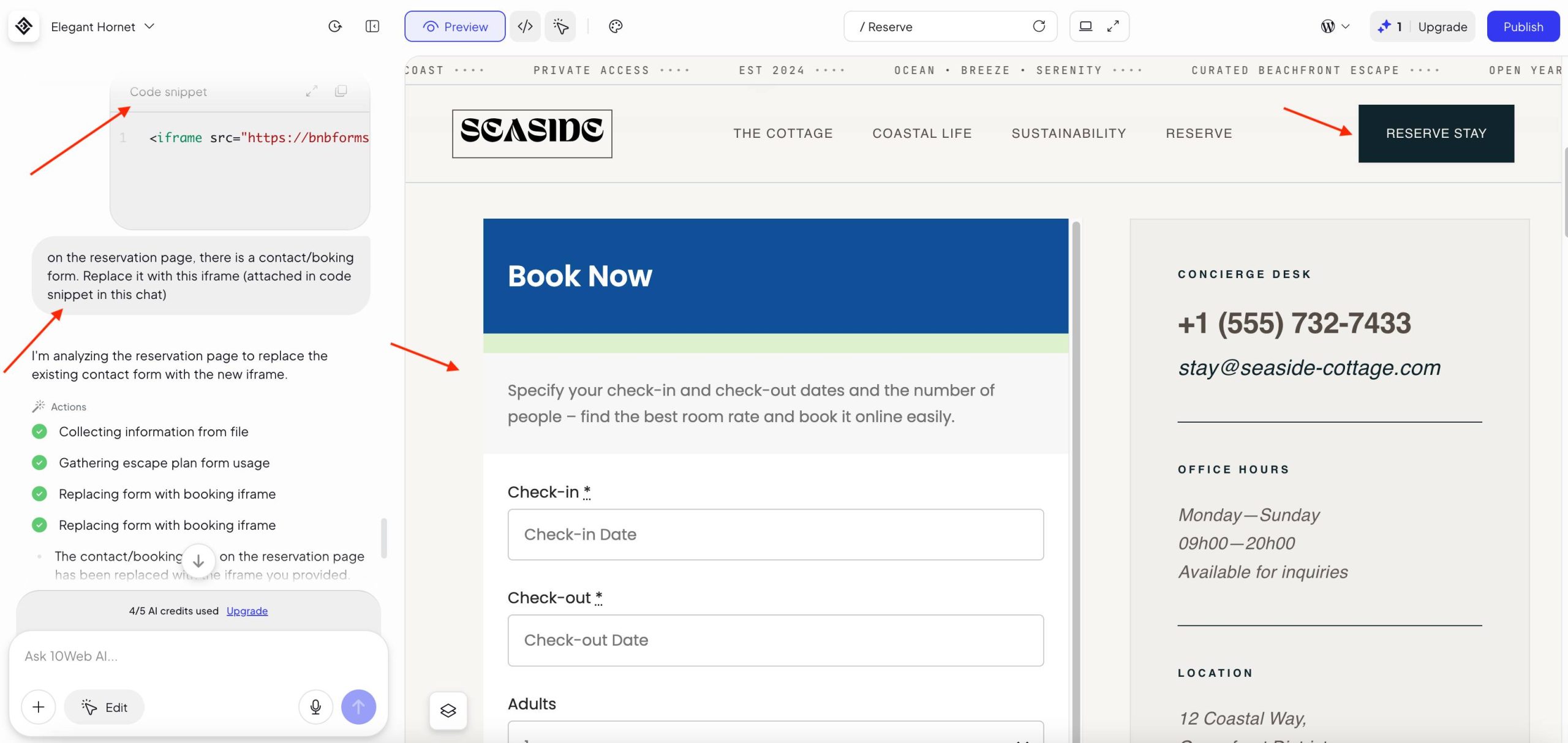
To keep my 10Web Site Builder workflow fully AI-driven, I simply asked the 10Web AI assistant in the chat to place my booking widget on the reservation page.
By default, the site builder generated a standard booking request form, which didn’t work for me becuse I want automated booking process.
Here’s what I did instead:
- I described my request in the chat, asking it to replace the default booking form on the Reserve stay page with my BNBForms iFrame code snippet.
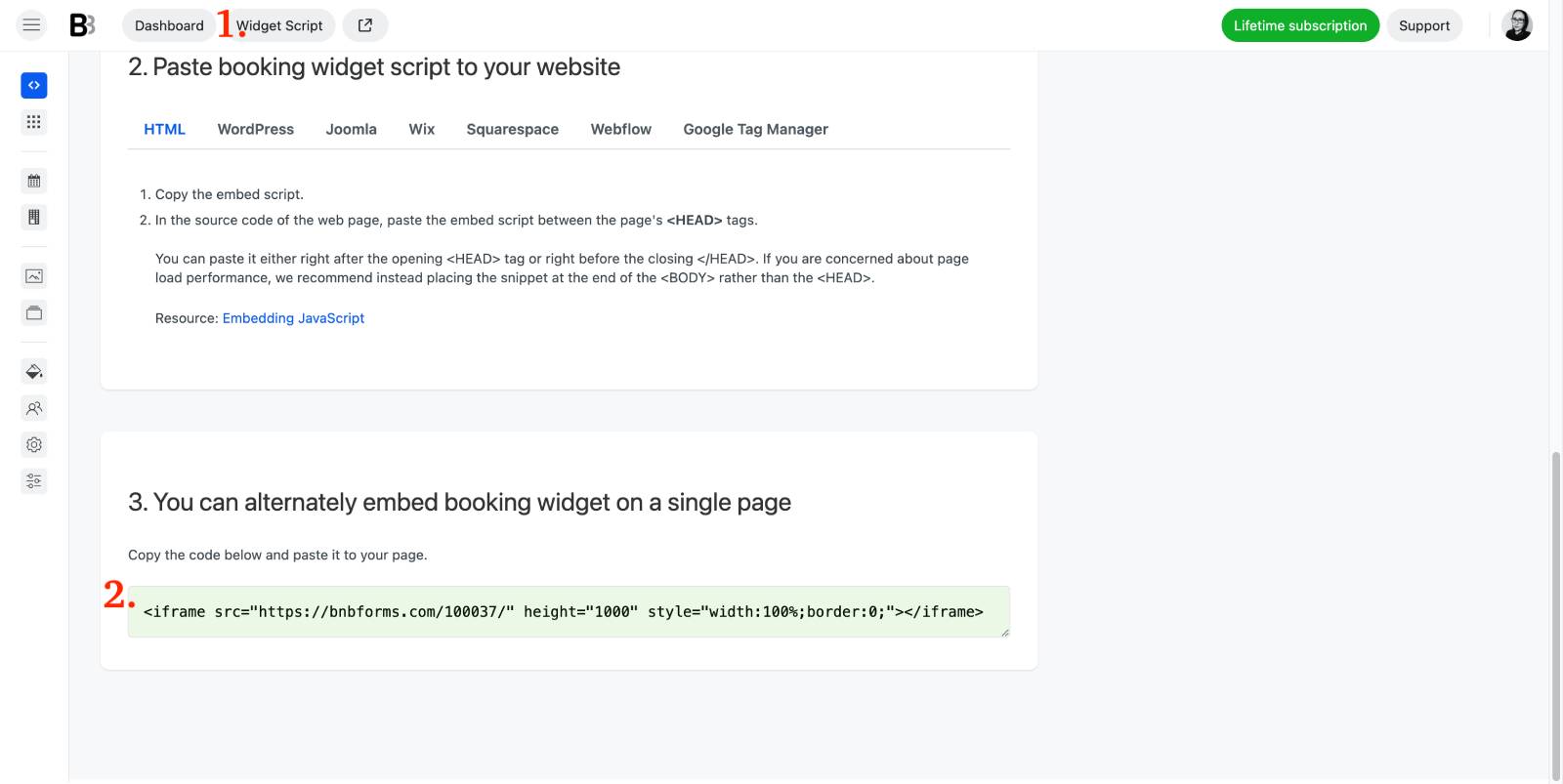
2. I copied the iFrame code from my BNBForms account.
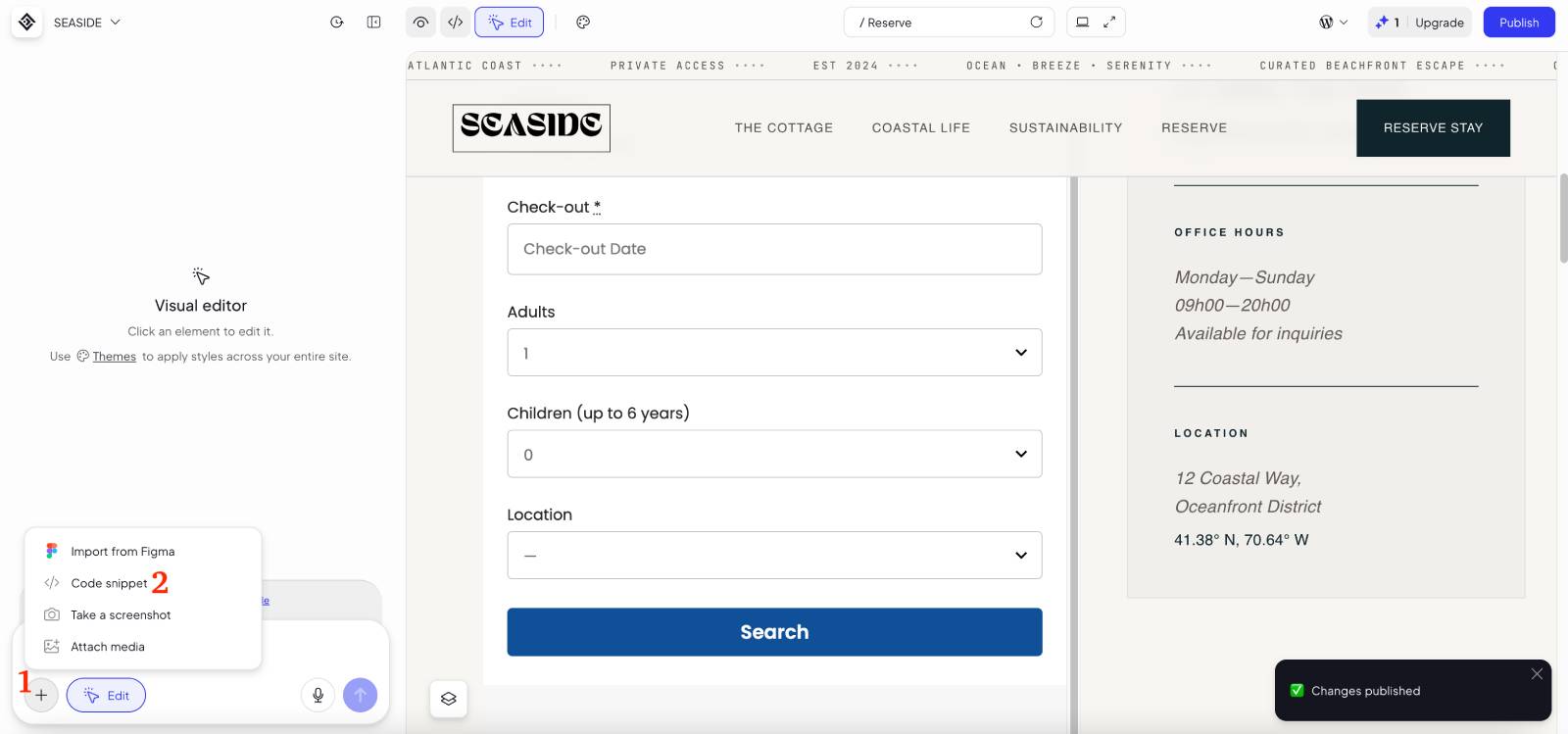
3. I pasted it into the Code Snippet element through the chat (along with my instruction).
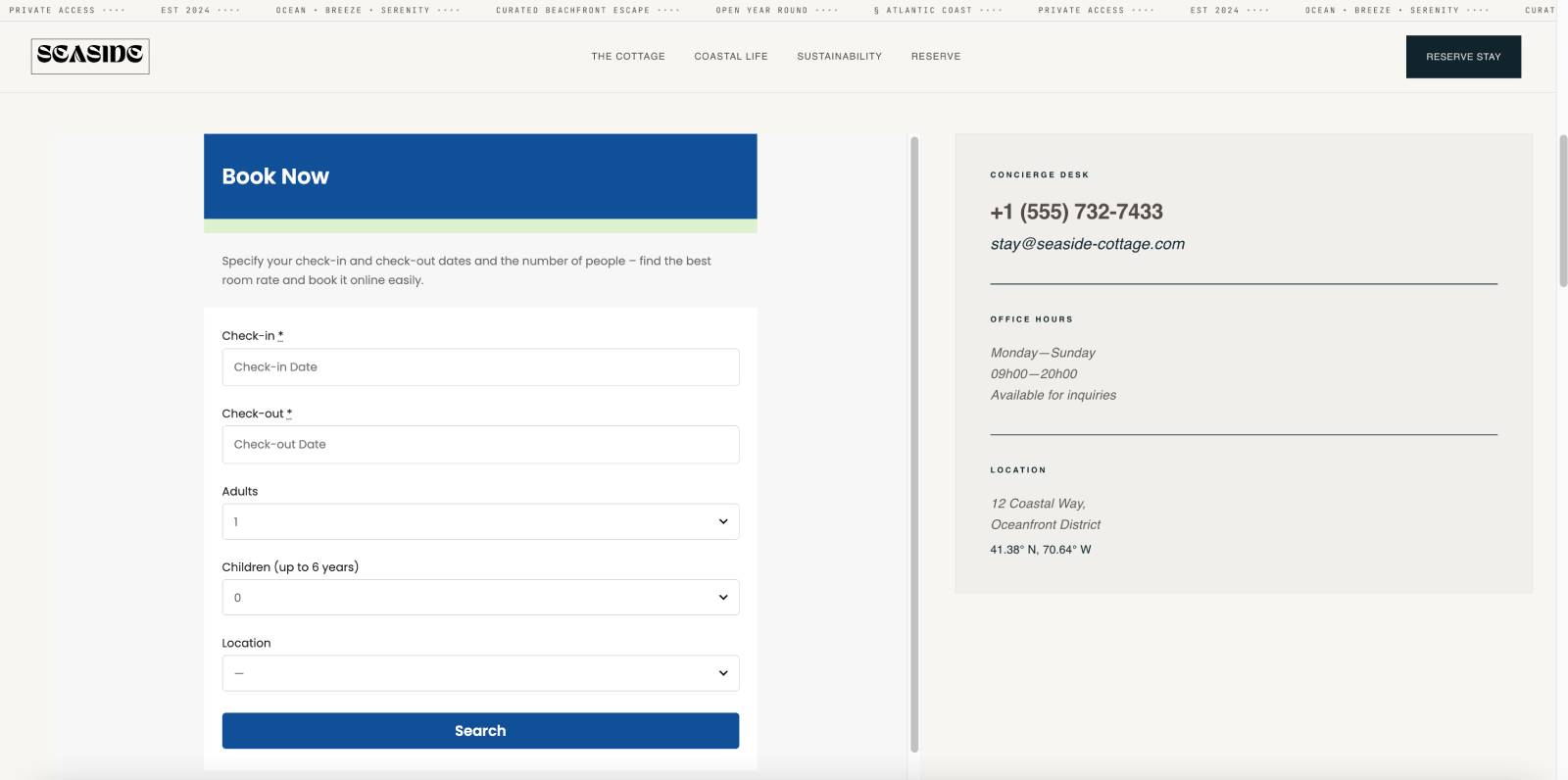
4. I previewed the changes, and once I was satisfied, I clicked Publish. Voilà – I had a fully functional property booking form on my AI-generated 10Web hotel website!
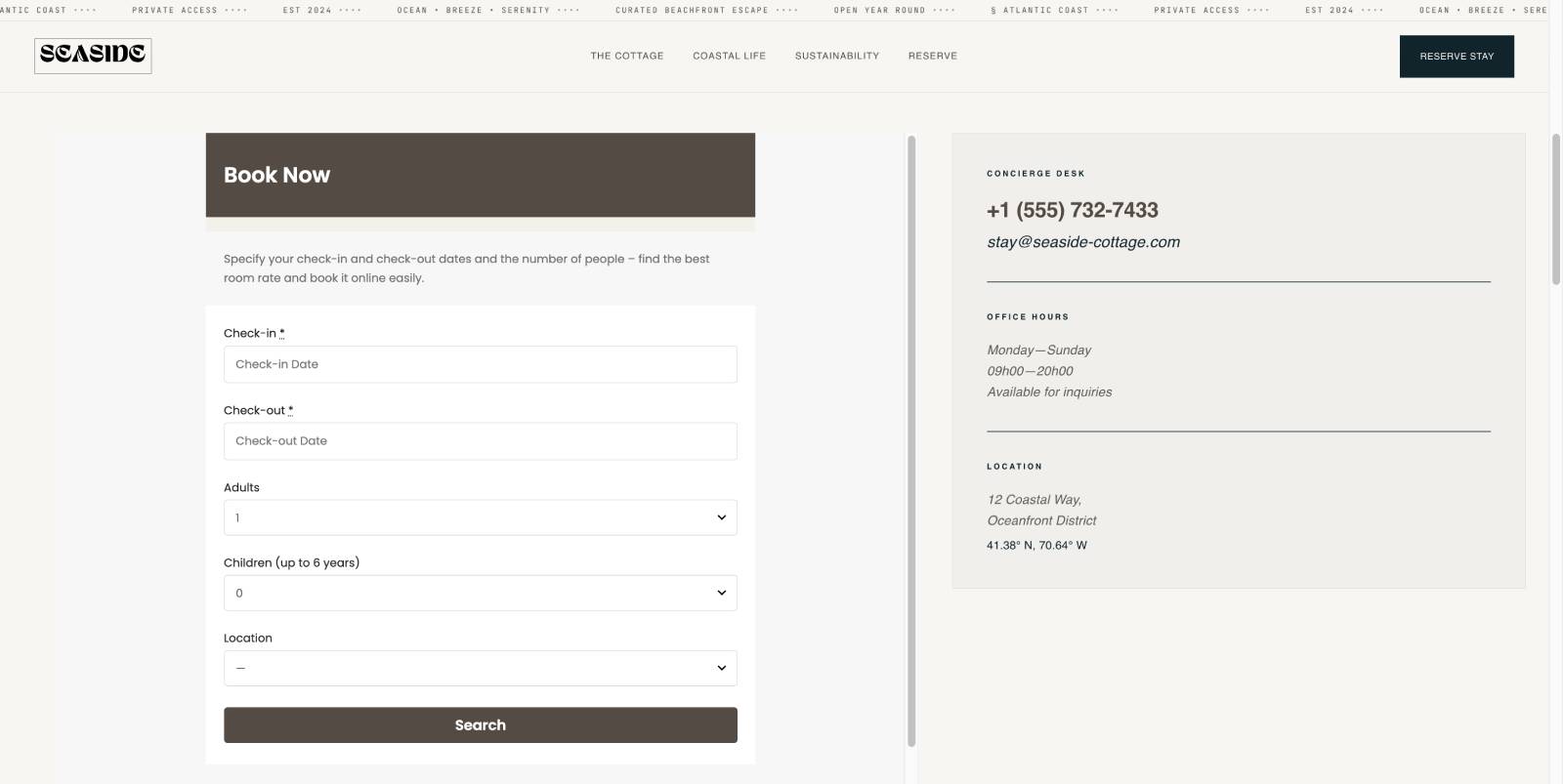
My widget fitted perfectly in the left column.
I decided to also copy the main accent colors from my AI-generated 10Web cottage design and use them for my BNBForms widget.
In just a few clicks, I made my property booking widget look like it natively belonged to the website’s theme:
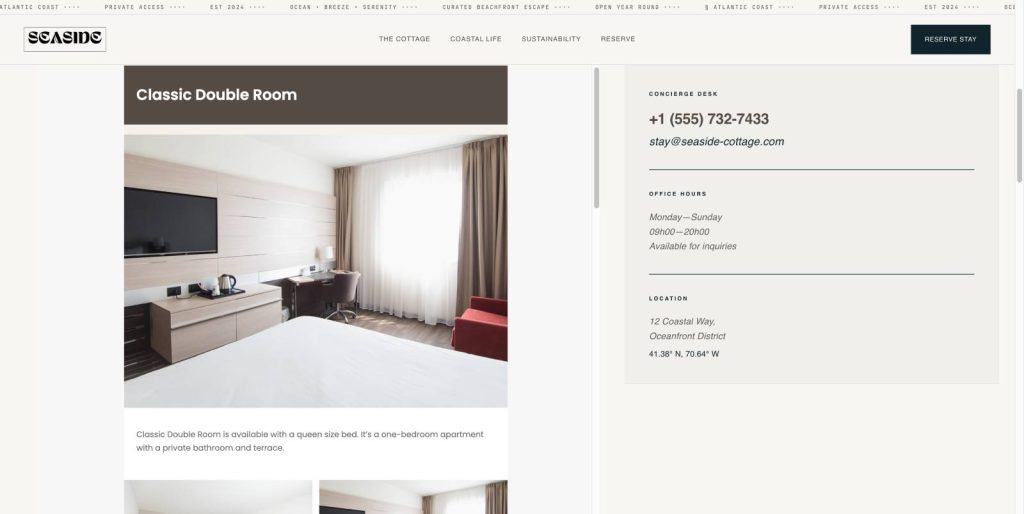
Guests can see my room details via the widget before making a booking, including images and amenities:
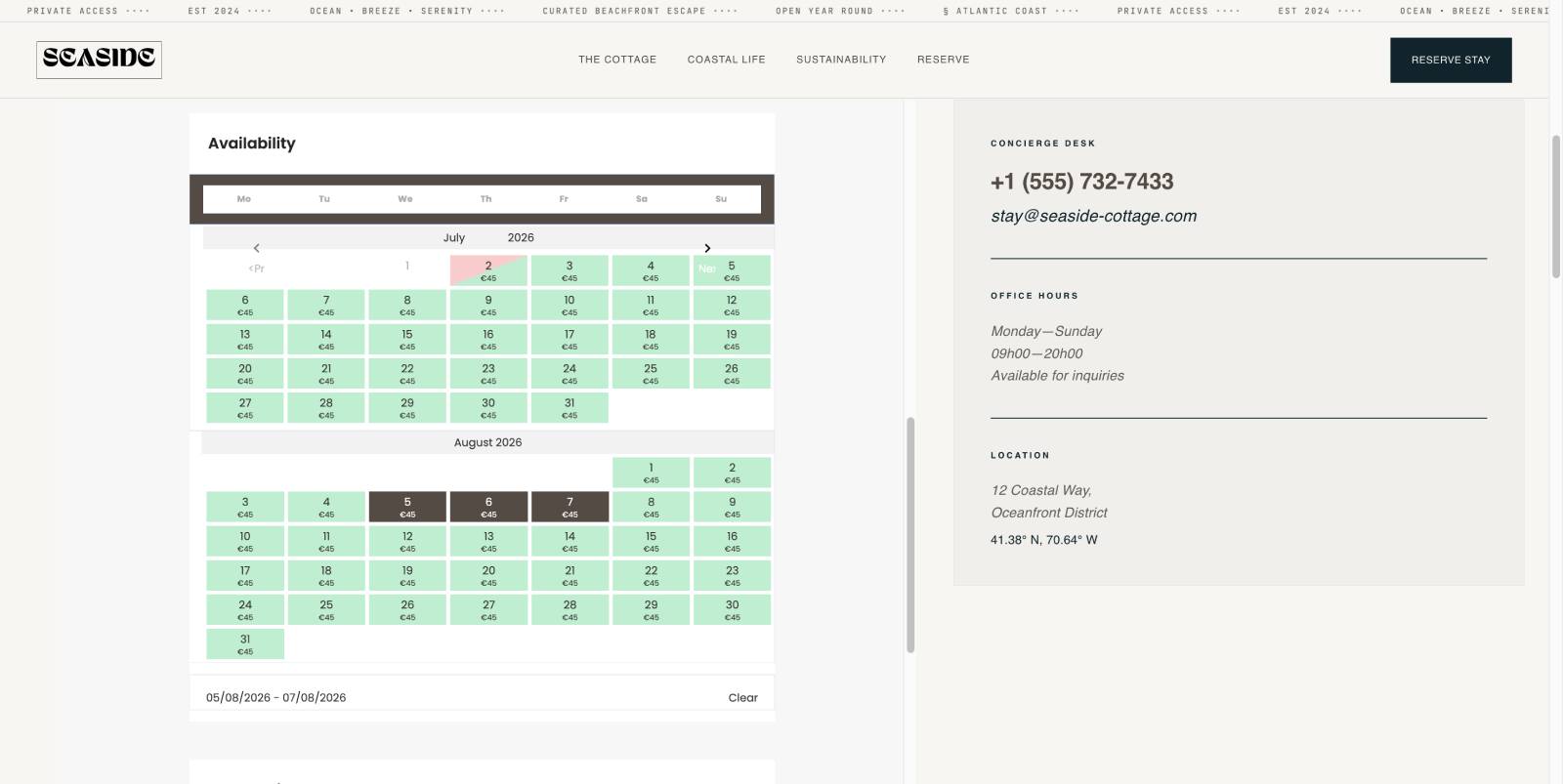
Availability and pricing can also be seen in real time before making a booking with or without a payment.
As you can see, most of the work happens on the BNBForms side. That’s where you configure your availability, rates, and booking rules. Embedding the widget into your 10Web website is the easiest part, actually.
I was fully satisfied with the widget defaults – it perfectly situated the site container, the colors of the booking widget could also be easily updated, as well as the size of my embedded iFrame.
Concluding: 10Web AI website builder – is it worth it for a hotel site?
That’s it for my 10Web ai website builder review. Using it for a very specific use case – a hotel / property booking site – was quite straightforward.
Hard‑won advice from our team – when you work with AI site builders, get your instructions and preferences prepared. It will save you a lot of time! Overall, the 10web ai website builder WordPress site is a pretty doable and working thing.
Meanwhile, my few conclusions:
It is a really, really good option for those who work full-time and don’t have the time or energy to learn or customize something like a hotel website or booking system.
It’s also a great option if you suddenly get inspired and think, “Why not build a website for my property or my cottage, even though I don’t know anything about it?” You can do it in just a few minutes. Yes, you really can.
Just be prepared to pay some fees along the way, whether for AI credits or platform services. That’s the price you pay for the convenience.
If you are a freelance designer or developer, well, you are a real winner here – but once again, if you are a WordPresser, you might feel the lack of the actual WordPress in this workflow.
For a booking site with 10Web, BNBForms worked pretty well – my iFrame with the modern booking form can accept reservations easily.
To sum up, I found it to be a super polished workflow for any 10Web hotel site scenario: a professional AI generated design + BNBForms for direct bookings. Give it a try!