What’s the best way to create a direct booking short term rental website? Also, is it always necessary to have a website? If you’ve ever asked any of these questions, you’re not alone. Beginner vacation rental hosts often struggle with building the site that commands attention, but luckily we are here to help. In today’s post, you’ll learn not just about the best website option for vacation rentals. You’ll also discover how to integrate booking functionality into your site without overpaying. Let’s get started!
When Do You Need a Direct Booking Site?

First of all, let’s take a look at the cases when you need a short term rental direct booking website. The benefits of this approach to receiving bookings are quite clear. Those property hosts who accept reservations directly don’t pay commission to the OTAs and booking platforms. Simply by having your own website that meets the expectations of your guests and lets them pay for bookings directly and safely, you get to freely showcase your property. But what’s the best way to get such a website, and how should it look? Below we’ll look at 3 popular ways to achieve it:
- Developing a complete alternative to popular solutions;
- Creating a simple website for repeat customers
- Online presence to advertise property availability.
A Complete Alternative to Airbnb
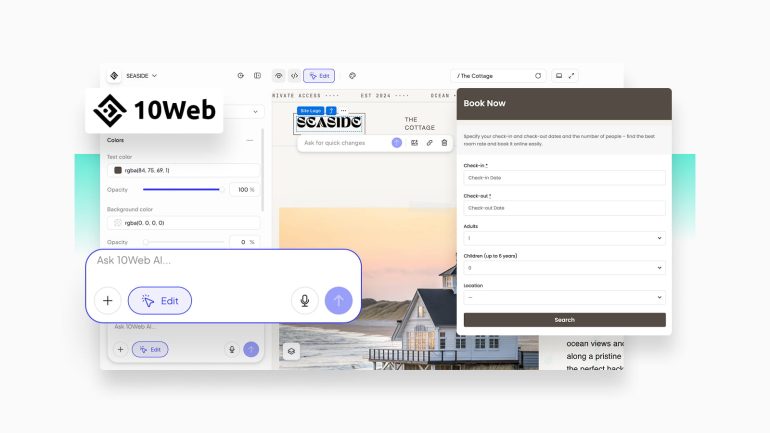
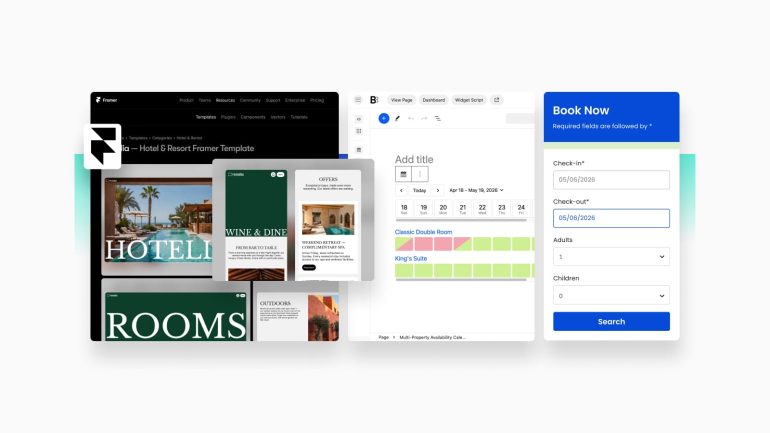
Creating a direct booking short term rental website that provides all key features similarly to bigger platforms, such as Airbnb or Vrbo, is quite a complex task. Still, with any modern short term rental website builder like Framer, Wix, or Elementor for WordPress, creating such sites becomes a lot easier. For example, you can use a ready-made template built for vacation rentals and customize it to get something unique and guest-oriented.
However, design is just half of a site’s success. When developing a direct booking website with a vacation rental website builder that serves as an OTA alternative (or an addition to it), you need to take care of its features too. They depend on your hospitality business and usually include:
- Real-time availability calendars;
- Synchronization with other OTAs;
- Secure payment processing via Stripe or PayPal;
- Detailed property pages;
- Guest reviews.
These and other features can be provided by an external or integrated booking engine. Depending on what you need, it can be a WordPress plugin or a solution such as BNBForms, built to match the requirements of modern hospitality businesses. Additionally, to make your website successful, you also need to invest in marketing and promotion of your booking website. All this makes building a direct website for vacation rentals quite an ambitious task. Still, with the proper approach to design and functionality, you get a better return on investment in the long run.
A Solution for Repeat Customers
Another way to get a direct booking short term rental website is to create something designed just for your regular customers – guests who became regulars at your cabins, apartments, villas, and other single properties. They usually know what to expect from your STRs, so advertising it isn’t really necessary. If you already have a customer base, you can simply share your new direct booking website with them via email or socials. Even if you provide just the essentials, such as property pages combined with a booking wizard or a booking request form, it may often be enough for your regular guests since they get an easy way to book directly. This is also a great way to:
- Reward your guests for loyalty;
- Avoid commission fees of bigger OTAs;
- Collect useful feedback;
- Get better control over pricing.
Showcasing Your Property Availability

But what if your vacation rental business needs something in between? When getting a complex direct booking website for short term rental isn’t in your plans, and essentials aren’t enough, you may need a way to showcase your property and accommodation availability.
That’s exactly the case for a lightweight and mobile-ready booking website. Similarly to more complex solutions, it can be built with a CMS or a simple short term rental website builder. Thanks to the wide variety of themes and templates, you don’t need to create anything from scratch, as you can have a starting point for the best short term rental direct booking website in a few clicks. It can feature:
- A real-time availability calendar;
- A booking form;
- Property pages with galleries and detailed descriptions;
- Guest reviews;
- Basic SEO optimization.
Direct Booking Short Term Rental: Where to Start?
So now that you know the obvious benefits direct booking short term rental websites have, how do you develop your own? This step is actually quite simple, and you don’t even have to go for a specialized platform or a theme like those WordPress supports. If you want to get something easy to edit and visually impressive, you can get started with universal website builders like Wix, Squarespace, or Framer. Simply register, choose a template for your short term rental direct booking website, and you’re good to go!
Depending on your budget, knowledge of web development, and personal taste, results may be different. What matters most is that your booking website fully meets your requirements. Even if it doesn’t have built-in booking functionality and features for managing your property, fret not. With our tutorial for BNBForms listed below, you can integrate a feature-rich reservation system into any website, just by embedding the booking widget.
Adding a Direct Booking Widget to Your Website
Let’s assume you already have your direct booking short term rental website ready and developed and want to integrate a form to provide direct bookings. This can be done in a few simple steps and provides you with not just reservations. You also get access to enabling online payments, extra services, and availability customization. Depending on your CMS, integration of the widget can be slightly different, but it is overall similar on different platforms since you only have to embed the form code to your site’s header or page.
For this tutorial, we chose WordPress to demonstrate how to do it in several easy steps. Let’s begin!
Step 1. Install a WordPress Plugin to Embed a Widget
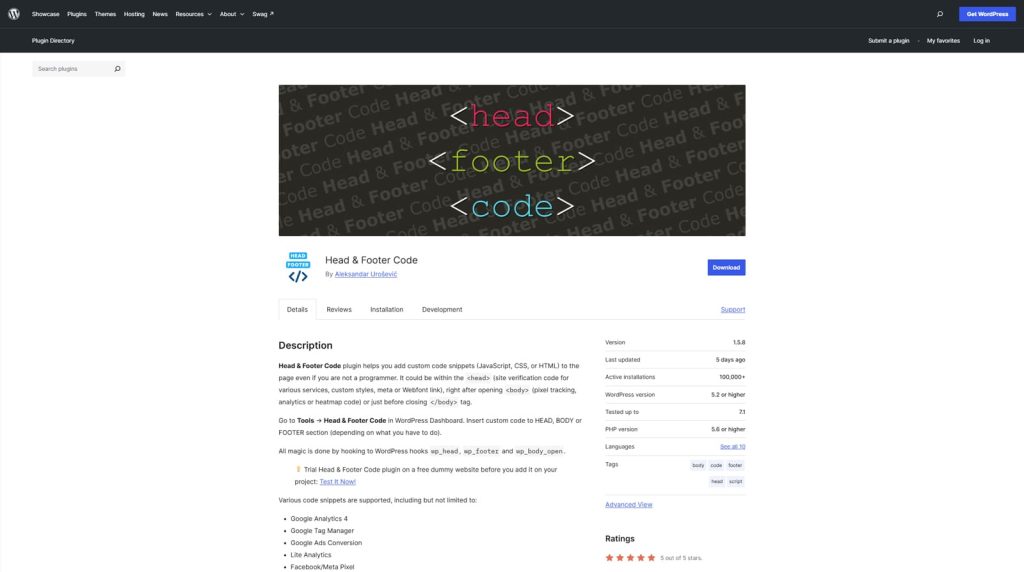
Before you can add a widget to your booking website, we recommend installing a plugin that allows you to add code to the header and footer. It is free and doesn’t slow your website down. Simply install and activate the Head and Footer Code plugin or any similar solution allowing you to integrate custom code into your header.
Step 2. Adding Widget Code
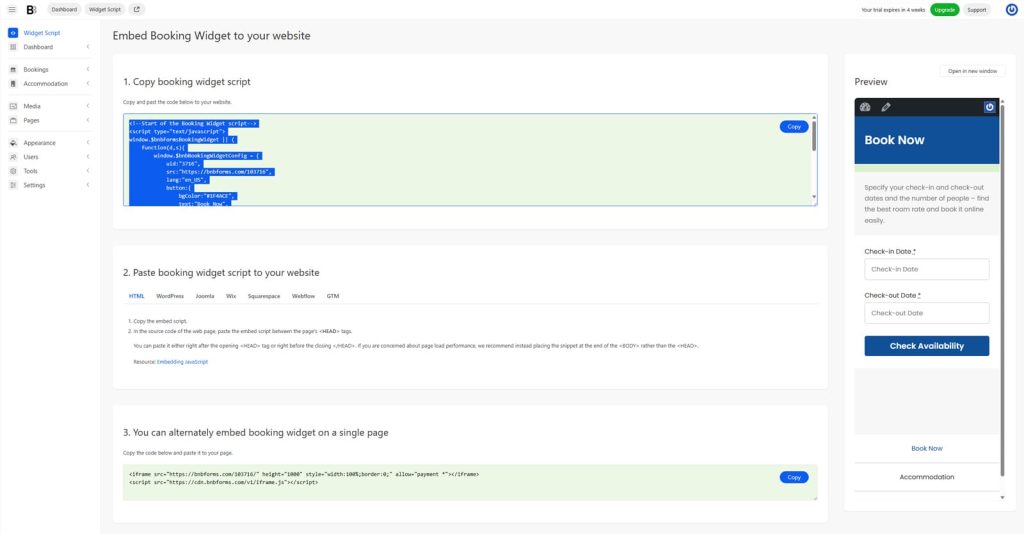
After your plugin is installed and activated, open your BNBForms dashboard and navigate to the Widget Script tab. There you can copy the script that will later be integrated into your site’s header to display the direct booking form.
Step 3. Inserting Code
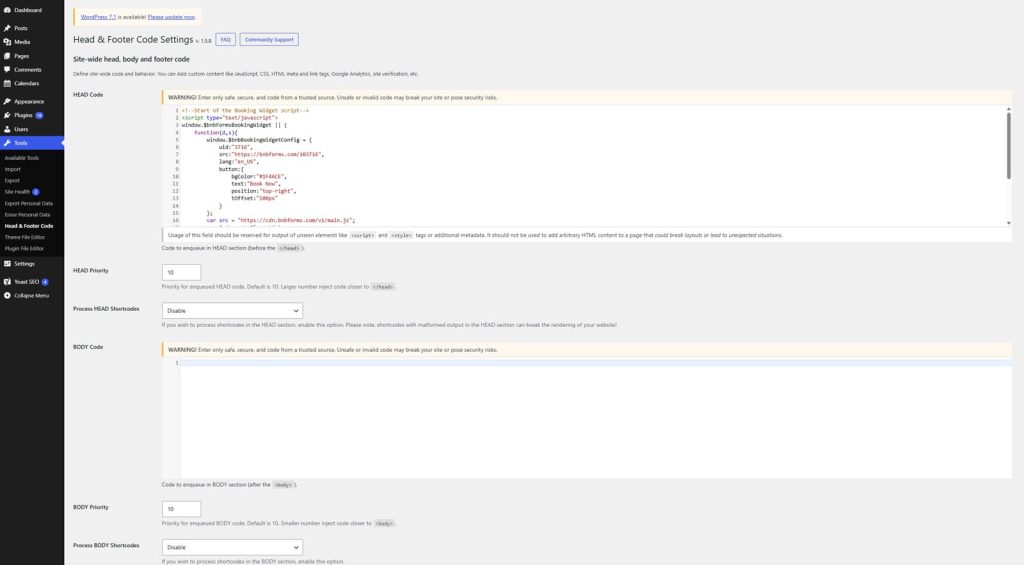
Now navigate to your direct booking short term rental site’s dashboard. Open the Settings – Head & Footer code, and insert the embed script in the HEAD Code section of your WordPress website. Don’t forget to save changes to enable your widget using a button.
Step 4. Checking Results
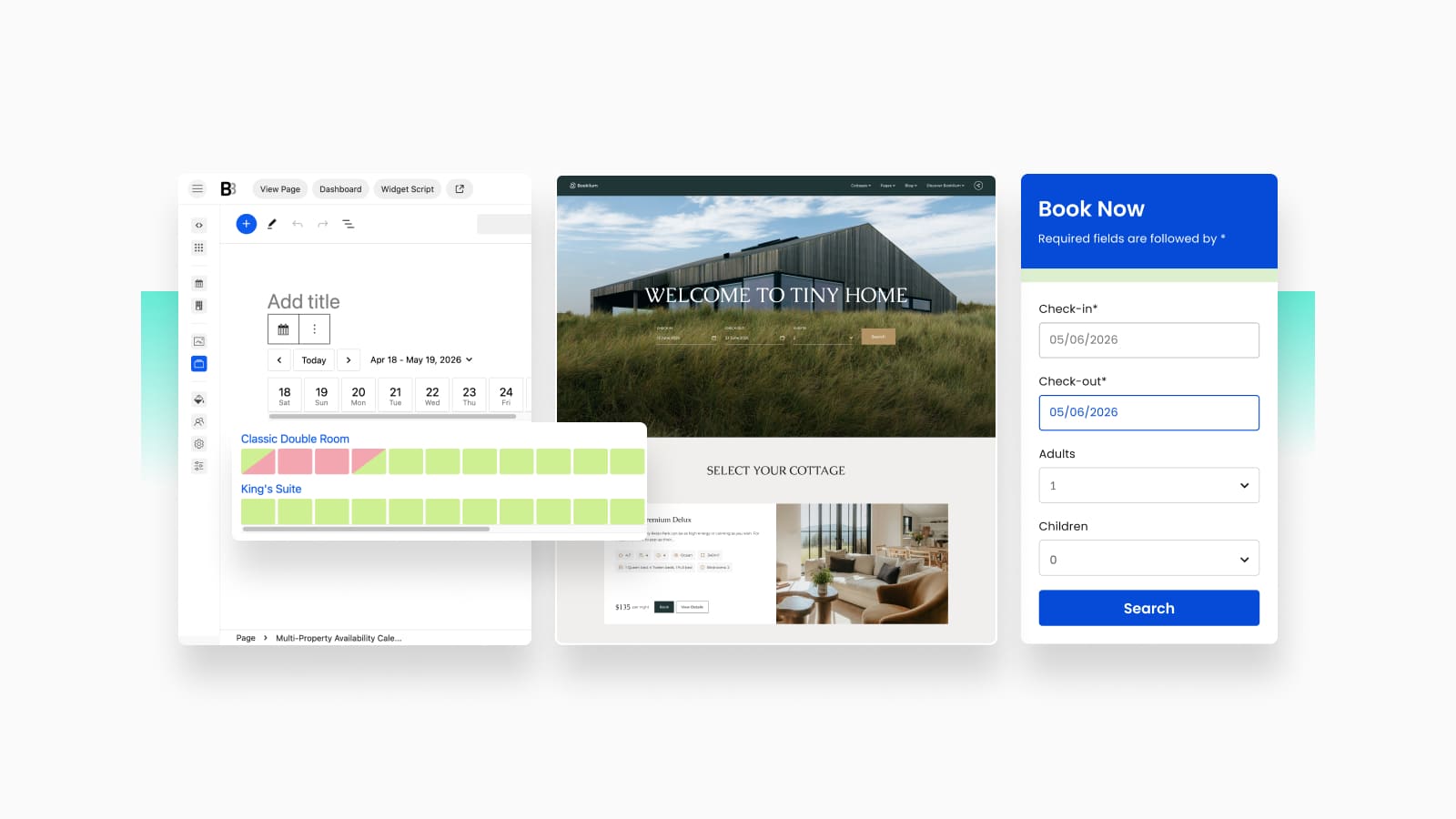
Now, let’s check the results of embedding that script. On the home page of your site, you should see the Book Now button. Press it to open the sidebar booking form that your clients will now see when they want to book a room. By using this form, your potential guests can:
- Choose check-in and check-out dates;
- Set the desired room capacity for adults and children;
- View room details and available dates;
- Simply book a room with one click.
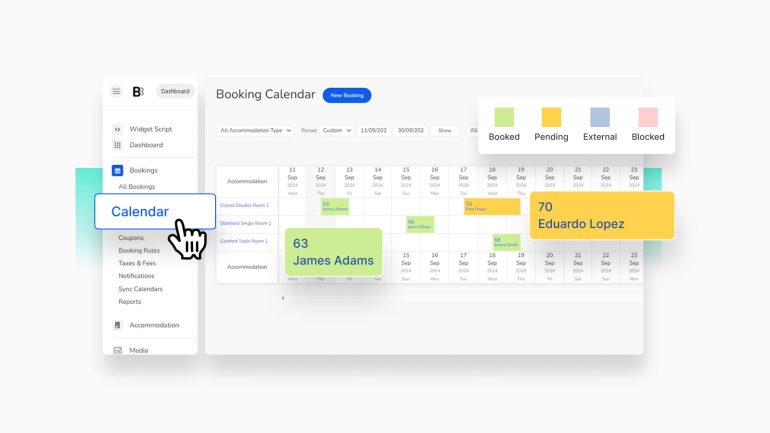
As a property owner, you also get to customize the form and manage different aspects of property booking. From seasonal rates and syncing reservations with OTAs using the channel manager, enabling online payments via Stripe and PayPal, and doing a lot more.
Step 5. Adding the Booking Form to a Separate Page
Sometimes you may want to publish the booking form on a separate page instead of the header. Since we’re using WordPress as an example for a direct booking short term rental website, you don’t have to add anything complex. Just use an iframe script and embed it on any page using an iFrame Gutenberg block. Here’s how to do it:
1. Open the BNBForms dashboard – Widget Script tab.
2. Scroll down until you see the section called “3. You can alternatively embed booking widget on a single page”.
3. Copy the provided code.
4. Go to your WordPress site dashboard to the “Pages” tab and press “Create a New Page”.
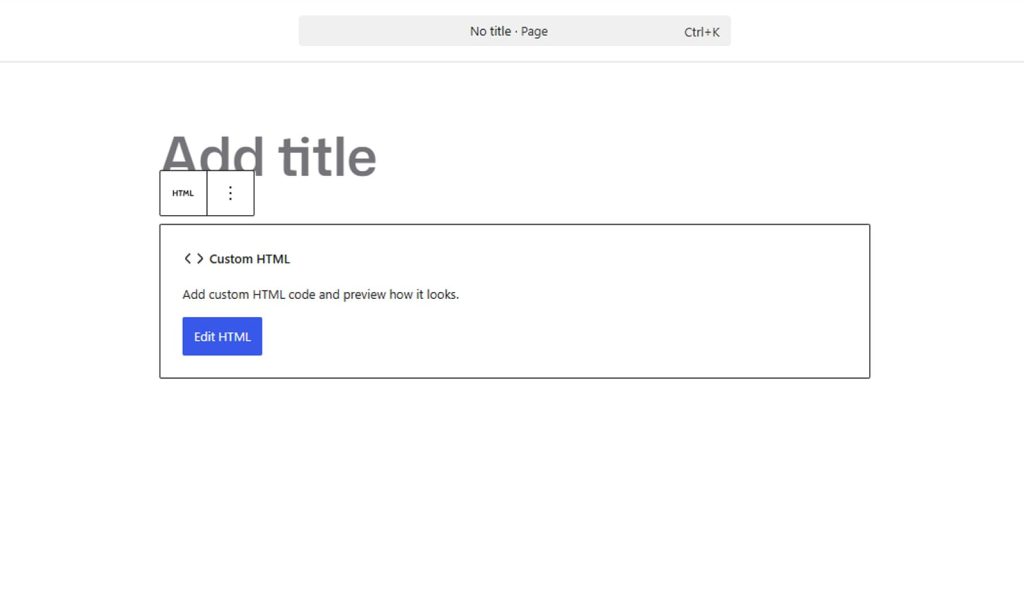
5. After opening the Gutenberg editor, find the Custom HTML block in the block inserter (opened by pressing the + button in the top left of the editor page).
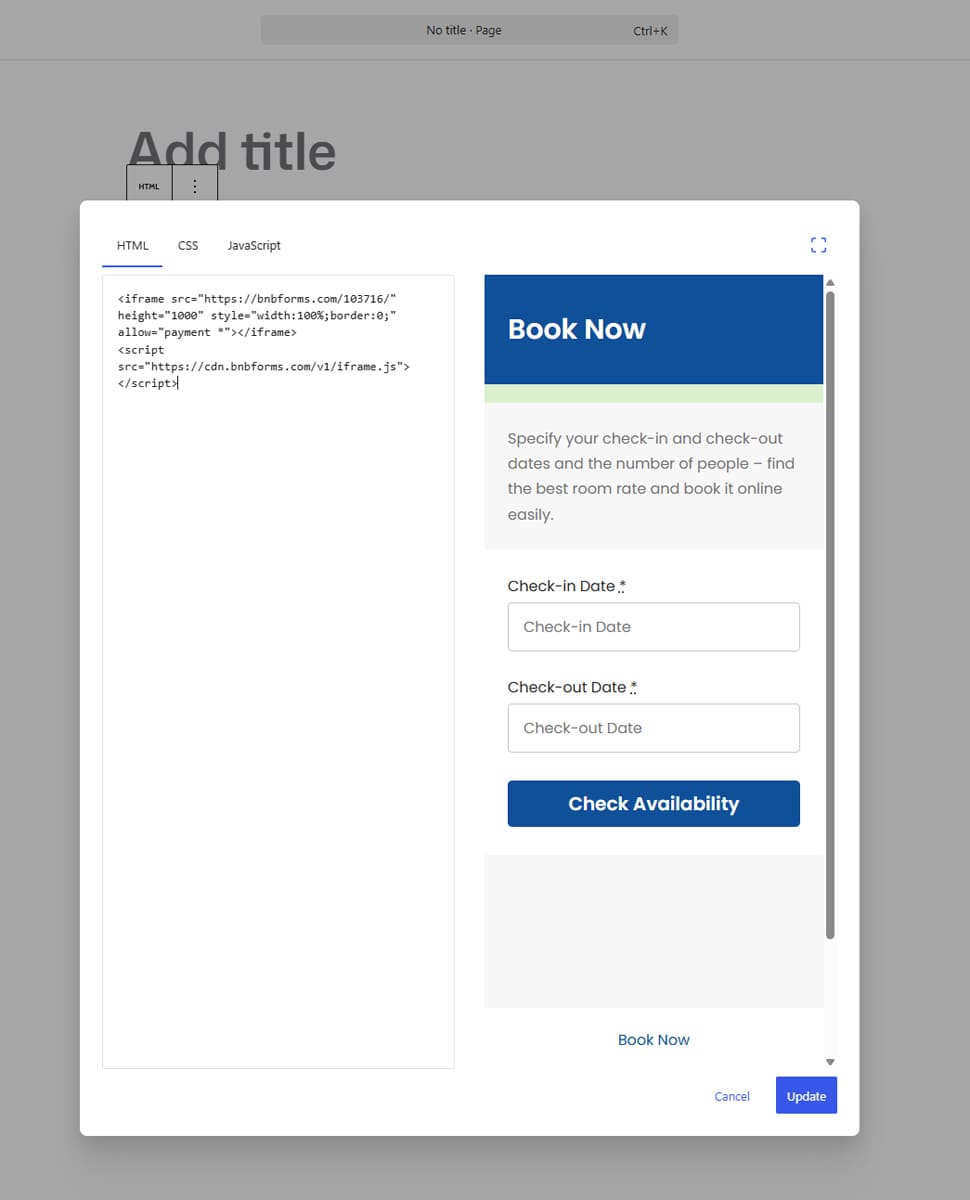
6. Press Edit HTML to edit the custom code and insert the iFrame widget into the provided field. Don’t forget to press Update after inserting the widget.
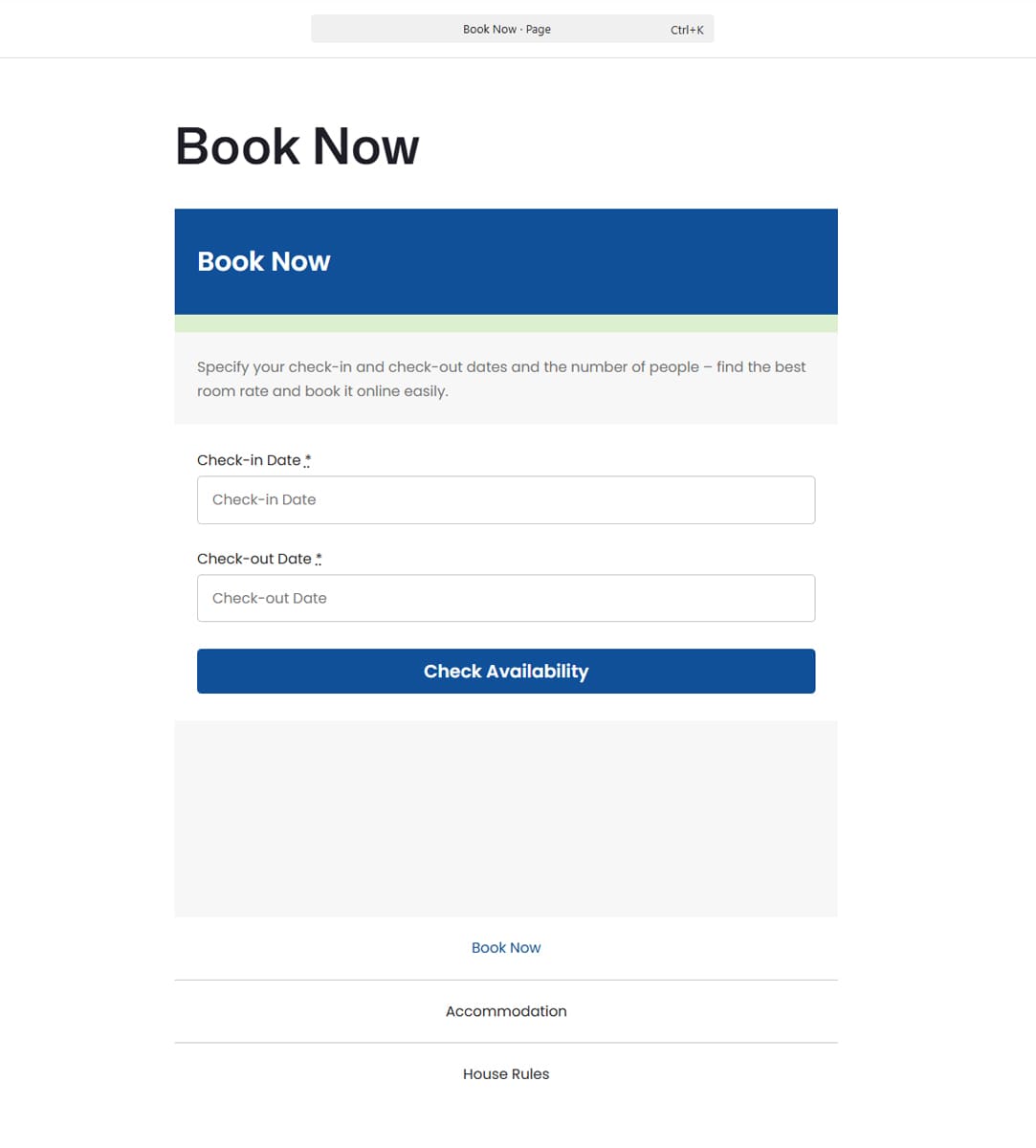
7. You’ll see the booking form displayed right in Gutenberg. Press Save in the top-right corner of your Gutenberg editor UI to make changes public.
8. You may also need to add the page to the main menu of your site by navigating to Appearance – Menu if you use a classic WordPress theme, or to Appearance – Editor if you use a full-site editing one. After adding the page to the navigation menu, your guests will be able to instantly find the booking page to reserve a room at your property.
Conclusion

We hope this overview of ways to develop your own direct booking short term rental website has helped you choose how to approach this task. You may be looking for something simple, like a calendar to show availability, or something advanced that offers online payments. In any case, with a well-designed booking website, you can achieve more than just using platforms like Airbnb. Additionally, solutions similar to BNBForms can give you a boost in:
- Direct bookings with zero fees: Having a direct booking website powered by a PMS is the best way to maximize your profits even if you have a small number of regular guests.
- Better guest retention: As you collect guests’ details and learn their preferences, you can meet their needs better than by running a property page on popular short term rental platforms.
- Reliable pricing management tools: Thanks to support for seasonal rates and dynamic pricing tools, BNBForms makes it easier to cater to the needs of your guests.
- Operational efficiency: By using synchronized calendars and email notifications, you get more things done at once than by controlling everything on your own.